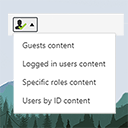
The simplest way of controlling who sees what in your posts/pages. Restrict content to logged in users only (or guests, or by roles) with simple short …
★ 4.9/5 (13)1,000+ active installations
- Version
- 2.3
- WordPress
- 3.6+
- Updated
- 29 Jan 2026
View plugin details ↗Instant switching between user roles in WordPress.
★ 5.0/5 (2)100+ active installations
- Version
- 0.2.4
- WordPress
- 3.7+
- PHP
- 7.4+
- Updated
- 18 Jun 2026
View plugin details ↗The most powerful WordPress RSS aggregator, helping you curate content, autoblog, import RSS & display unlimited RSS feeds within a few minutes.
★ 4.6/5 (361)40,000+ active installations
- Version
- 5.2.17
- WordPress
- 6.0+
- PHP
- 7.2+
- Updated
- 19 Nov 2026
View plugin details ↗Publish your cookie banner or notice in minutes. Automatically scan cookies, and create policies to align with GDPR, CCPA, and Google Consent Mode.
★ 4.7/5 (1,673)1,000,000+ active installations
- Version
- 7.5.7
- WordPress
- 5.9+
- PHP
- 7.4+
- Updated
- 4 Nov 2026
View plugin details ↗
By David Anderson / Team Updraft
Get caching and more with this powerful cache plugin. Cache, optimize images, clean your database and minify for maximum performance.
★ 4.8/5 (2,617)1,000,000+ active installations
- Version
- 4.7.1
- WordPress
- 4.9+
- PHP
- 7.2+
- Updated
- 18 Nov 2026
View plugin details ↗This plugin allows you to easily hide WooCommerce categories based on User Role.
★ 4.3/5 (6)300+ active installations
- Version
- 3.0.1
- WordPress
- 6.5+
- PHP
- 8.2+
- Updated
- 29 May 2026
View plugin details ↗For bbPress - Lets you add ranking and badges to topics, replies, and profiles
★ 5.0/5 (11)200+ active installations
- Version
- 3.7
- WordPress
- 3.0.1+
- Updated
- 20 Aug 2026
View plugin details ↗News icker for Elementor lets you add news ticker with the Elementor Page builder.You can use any of your blog post as news ticker.
★ 4.8/5 (40)2,000+ active installations
- Version
- 2.1.4
- WordPress
- 5.0+
- PHP
- 7.4+
- Updated
- 17 May 2026
View plugin details ↗The best WordPress contact form plugin. Drag & Drop form builder to create beautiful contact forms, payment forms, & other custom forms.
★ 4.8/5 (14,395)5,000,000+ active installations
- Version
- 2.0.5.1
- WordPress
- 5.5+
- PHP
- 7.2+
- Updated
- 19 Nov 2026
View plugin details ↗Advanced antispam for comments, registrations & contact forms. No CAPTCHA, plus email validation and honeypot. We catch spam others miss!
★ 4.8/5 (3,230)200,000+ active installations
- Version
- 6.92
- WordPress
- 4.7+
- PHP
- 7.2+
- Updated
- 16 Nov 2026
View plugin details ↗Easily add code snippets in WordPress. Insert header & footer scripts, add PHP code snippets with conditional logic, insert ads pixel code, and more.
★ 4.9/5 (1,937)3,000,000+ active installations
- Version
- 2.4.2
- WordPress
- 5.0+
- PHP
- 7.0+
- Updated
- 12 Nov 2026
View plugin details ↗Synchronise WordPress Users across Multiple Sites.
★ 4.9/5 (73)5,000+ active installations
- Version
- 2.3.0
- WordPress
- 4.9.5+
- PHP
- 8.0+
- Updated
- 9 Nov 2026
View plugin details ↗