

Display your WooCommerce products in a responsive Product Slider, Product Carousel, or Product Grid Gallery with easy customization.
★ 4.7/5 (281)20,000+ active installations
- Version
- 2.9.2
- WordPress
- 5.3+
- PHP
- 7.0+
- Updated
- 9 Nov 2026
WORDPRESS RESOURCES
Explore public plugin information from the official WordPress.org directory. Compare what a plugin does, its requirements and update history before adding it to your website.
Explore WordPress hosting →254 matching plugins reported by WordPress.org · Page 9 of 22
Source: WordPress.org
Data refreshed 20 Nov 2026 12:03 UTC
Display your WooCommerce products in a responsive Product Slider, Product Carousel, or Product Grid Gallery with easy customization.

By 漫步白月光
Lightweight full-page cache with surgical invalidation, smart preloading, HTML minification, WebP conversion and database cleanup.

By Blinkspeed
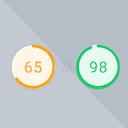
Boost your WordPress site speed with advanced AI optimization techniques.
By WPZOOM
Preload Featured Images automatically in posts to increase the PageSpeed Score.

By FolioVision
WordPress's most reliable, easy to use and feature-rich video player. Supports responsive design, HTML5, playlists, ads, stats, Vimeo and YouTube.

By Saeed Tosifyan
Next-generation browser preloading and speculation rules control suite with zero external JavaScript overhead.
Show a second product image on hover in your WooCommerce shop: fade, slide or zoom, gallery rotation, arrows and a lightbox.

By Tribulant Software
Feature content in a JavaScript powered slideshow gallery showcase on your WordPress website.

By UnoizeStudio
An app-style bottom menu for mobile — fully customizable, with icons, colors, and links you control completely.

Show your team with blocks or shortcodes in Grid, Carousel, List, Isotope filter, and Org Chart layouts. Responsive, no code needed.
A productivity desktop and custom dashboard for wp-admin: windows, dark mode, dashboard notes, an AI assistant, and a progressive web app (PWA).
Build stunning WordPress galleries in minutes. Eight fully-responsive layouts, video, immersive lightbox, albums, templates, SEO, analytics & more.
CHOOSE WHAT YOUR WEBSITE NEEDS
Start with the task you need to solve. Compare features, WordPress and PHP requirements, update history and the author’s documentation. Test changes on a private copy and avoid adding several plugins for the same job.
This independent directory displays plugin information on WebFulHost and links to the official source. Packages are not mirrored or installed here. A plugin can include paid extensions or services with separate terms from its author.


