

Create eye-catching product badges and labels for your WooCommerce store in seconds. 100+ built-in product badges. Fully customizable.
★ 5.0/5 (9)600+ active installations
- Version
- 1.5.3
- WordPress
- 5.2+
- PHP
- 7.4+
- Updated
- 18 Nov 2026
WORDPRESS RESOURCES
Explore public plugin information from the official WordPress.org directory. Compare what a plugin does, its requirements and update history before adding it to your website.
Explore WordPress hosting →10,000 matching plugins reported by WordPress.org · Page 9 of 50
Source: WordPress.org
Data refreshed 19 Nov 2026 12:03 UTC
Create eye-catching product badges and labels for your WooCommerce store in seconds. 100+ built-in product badges. Fully customizable.

By WooCommerce
Restrict access to any WooCommerce product, depending on the ownership and/or purchase of other required products.

By RadiusTheme
Variation Images Gallery for WooCommerce plugin allows to add UNLIMITED additional images for each variation of product.

By David Anderson / Team Updraft
Backup, restore or migrate your WordPress website to another host or domain. Schedule backups or run manually. Migrate in minutes.
Add notes to WooCommerce products.
Use product and country rules to show or hide payment gateways in WooCommerce, improve margins, and streamline checkout.

By WPClever
It presents products visually engagingly to customers by offering attention-drawing swapping effects for images of products on archive/shop pages.

By ShapedPlugin LLC
Display product categories in responsive sliders or grids to showcase them effectively on your WooCommerce store and improve shoppers' navigation.
By Pektsekye
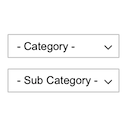
Displays product categories as dependent drop-down selects.

By Premmerce
The Premmerce Product Filter for WooCommerce plugin is a professional tool for managing filters with perfect Ajax and unique SEO features.
Replace 50+ WordPress Plugins: Free SEO, Theme Builder, Code Snippets, Image Optimizer (WebP/AVIF), SMTP Email, Security, Performance & More

By Zoho Flow
Integrate your WordPress plugins with your business applications and automate workflows between them. A single platform for all your integrations.
CHOOSE WHAT YOUR WEBSITE NEEDS
Start with the task you need to solve. Compare features, WordPress and PHP requirements, update history and the author’s documentation. Test changes on a private copy and avoid adding several plugins for the same job.
This independent directory displays plugin information on WebFulHost and links to the official source. Packages are not mirrored or installed here. A plugin can include paid extensions or services with separate terms from its author.


