

A WordPress publishing toolkit for AI alt text, SEO, GEO, schema markup, social sharing, performance, and website health.
★ 4.9/5 (34)9,000+ active installations
- Version
- 3.3.2
- WordPress
- 6.0+
- Updated
- 14 Nov 2026
WORDPRESS RESOURCES
Explore public plugin information from the official WordPress.org directory. Compare what a plugin does, its requirements and update history before adding it to your website.
Explore WordPress hosting →1,489 matching plugins reported by WordPress.org · Page 9 of 50
Source: WordPress.org
Data refreshed 25 Nov 2026 01:55 UTC
A WordPress publishing toolkit for AI alt text, SEO, GEO, schema markup, social sharing, performance, and website health.
Load plugins only where you need them. No bloat, no conflicts, more speed. Deactivate plugins where they don't add anything useful.

By Joe Lopreste
WordPress accessibility checker for WCAG issues, missing Alt text finder, contrast checker, guided checklists, resources, and accessibility training.
Set WooCommerce opening hours, block checkout when closed, and add full-day holiday closures.

By badasswp
Add AI Capabilities to the Block Editor. Generate Captions/Headlines, Summaries, Slugs, SEO Keywords using our amazing plugin.
Embed PDF files in WordPress with a responsive PDF viewer, flipbook, shortcode and Gutenberg block, plus print, download and view analytics.

By Shahadat Hossain
Turn any PDF into a realistic, interactive 3D page-flip flipbook — or a standard viewer — for eBooks, catalogs, manuals, newsletters & reports.

By Ucheagwu Onyike
Dark mode for the whole WordPress admin, both editors and, if you want, your website. 26 themes, a schedule and a visitor switch.

By Hans-Gerd Gerhards
“Add infos to The Events Calendar” provides a shortcode block to single events for The Events Calendar Free Plugin (by MODERN TRIBE)

By Kostya Tereshchuk
One toolbar button that switches between the admin page and the public page you viewed last.
By Scott Reilly
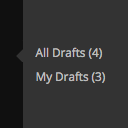
Adds links to 'All Drafts' and 'My Drafts' under Posts, Pages, and other custom post type sections in the admin menu.

By Raju Ahmed
Protect your WordPress content from copying. Disable copy, paste, right click, image dragging, and more.
CHOOSE WHAT YOUR WEBSITE NEEDS
Start with the task you need to solve. Compare features, WordPress and PHP requirements, update history and the author’s documentation. Test changes on a private copy and avoid adding several plugins for the same job.
This independent directory displays plugin information on WebFulHost and links to the official source. Packages are not mirrored or installed here. A plugin can include paid extensions or services with separate terms from its author.


