Disable Gutenberg Block Editor and restore the Classic Editor and original Edit Post screen (TinyMCE, meta boxes, etc.).
★ 5.0/5 (735)500,000+ active installations
- Version
- 3.4
- WordPress
- 4.9+
- PHP
- 5.6.20+
- Updated
- 6 Nov 2026
View plugin details ↗Seven free modules for Elementor: dark mode, container layouts, mobile menu, editorial text, style presets, JSON editor — all modular, all free.
★ 4.6/5 (117)100,000+ active installations
- Version
- 4.3.14
- WordPress
- 6.0+
- PHP
- 8.0+
- Updated
- 24 Oct 2026
View plugin details ↗Take control of the cron events on your WordPress website or WooCommerce store with WP Crontrol.
★ 4.4/5 (167)300,000+ active installations
- Version
- 2.0.0
- WordPress
- 6.6+
- PHP
- 7.4+
- Updated
- 15 Oct 2026
View plugin details ↗Elementor addons with 18+ free widgets, Header & Footer Builder, WooCommerce widgets & templates. Trusted by 2+ million websites.
★ 4.9/5 (2,529)2,000,000+ active installations
- Version
- 2.9.8
- WordPress
- 5.0+
- PHP
- 7.4+
- Updated
- 17 Nov 2026
View plugin details ↗Create unlimited folders with the Folders WordPress plugin, organize & manage your Media Library files, Pages & Posts in folders 📁
★ 5.0/5 (1,529)90,000+ active installations
- Version
- 3.3.1
- WordPress
- 4.7+
- Updated
- 5 Nov 2026
View plugin details ↗Advanced Elementor addons plugin with widgets, WooCommerce builder, mega menu, popup builder and Elementor template kits for faster website design.
★ 4.8/5 (4)6,000+ active installations
- Version
- 1.0.38
- WordPress
- 5.0+
- PHP
- 7.4+
- Updated
- 18 Jul 2026
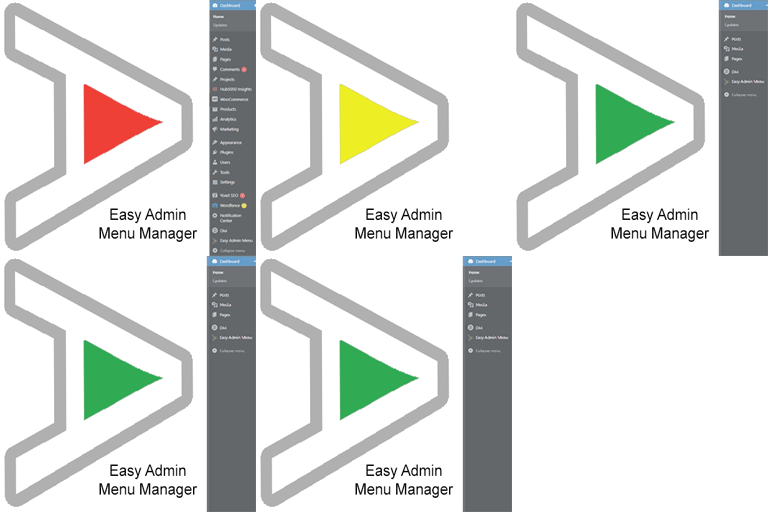
View plugin details ↗Take control of your Dashboard Menu with the Easy Admin Menu Manager. Remove the clutter without losing any functionality.
★ 5.0/5 (1)40+ active installations
- Version
- 2.2.0
- WordPress
- 6.0+
- PHP
- 7.3+
- Updated
- 15 Jul 2026
View plugin details ↗Super simple plugin to remove the Tools menu from WordPress Admin Menu
★ 5.0/5 (1)20+ active installations
- Version
- 2.5.1
- WordPress
- 5.2+
- PHP
- 7.4+
- Updated
- 20 Aug 2026
View plugin details ↗Display tailored menu items to each visitor with visibility rules
★ 4.1/5 (130)50,000+ active installations
- Version
- 0.19.2
- PHP
- 6.0+
- Updated
- 5 Dec 2024
View plugin details ↗Nested Pages provides a drag and drop interface for managing pages & posts in the WordPress admin, while maintaining quick edit functionality.
★ 4.7/5 (126)90,000+ active installations
- Version
- 3.3.4
- WordPress
- 3.8+
- PHP
- 8.0+
- Updated
- 16 Nov 2026
View plugin details ↗Robo Gallery is a powerful image gallery and photo gallery plugin with advanced features to create responsive galleries with a beautiful lightbox
★ 4.3/5 (406)40,000+ active installations
- Version
- 5.2.6
- WordPress
- 3.3+
- Updated
- 6 Oct 2026
View plugin details ↗Create responsive photo, image and masonry galleries in WordPress with FooGallery, plus carousel, lightbox, albums, SEO and video gallery support.
★ 4.8/5 (1,000)100,000+ active installations
- Version
- 3.3.37
- WordPress
- 6.8+
- PHP
- 7.2+
- Updated
- 9 Nov 2026
View plugin details ↗