Create interactive floating bubble menus to enhance site navigation and boost user engagement effortlessly.
★ 4.2/5 (9)1,000+ active installations
- Version
- 4.1.1
- WordPress
- 5.5+
- PHP
- 7.4+
- Updated
- 25 Aug 2026
WORDPRESS RESOURCES
Explore public plugin information from the official WordPress.org directory. Compare what a plugin does, its requirements and update history before adding it to your website.
Explore WordPress hosting →1,444 matching plugins reported by WordPress.org · Page 9 of 50
Source: WordPress.org
Data refreshed 28 Nov 2026 15:25 UTC
Create interactive floating bubble menus to enhance site navigation and boost user engagement effortlessly.
By Realwebcare
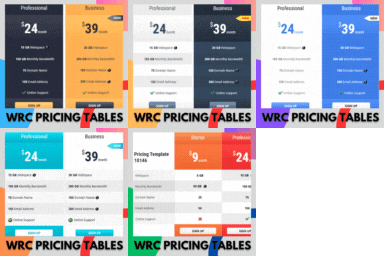
Responsive CSS3 pricing tables design to present features and prices of different products. Display pricing tables or comparison table by shortcode.

By Pinpoint World
Book anything, anytime, anywhere.
Allows creating WooCommerce marketing automation and emailing WordPress users based on Contact Form 7 submission. You can use this Contact Form 7 inte …

By bjorntech
Accept Swish payments in your WooCommerce store with BjornTech as Technical Supplier.

Floating Awesome Button (FAB) helps website owner, getting more conversion, by adding interactive element such as (Sticky Button, Popup, Toast, etc)

By jetmonsters
The #1 Hotel Booking and Vacation Rental Plugin for WordPress. Online payments, seasons, rates, free or paid extras, coupons, taxes & fees.
Create Announcement Bars, Notification Bars & Popup Campaigns with countdown timers, A/B testing, smart targeting & analytics.
Custom Add to Cart Button Label and Link for WooCommerce is the ultimate plugin to personalize your WooCommerce store's add to cart experience.
Add customizable WordPress notification bar to display announcements, promotions, coupons, or news at the top or bottom of your website.

By Joe Dolson
My Tickets is a simple, flexible platform for selling event tickets with WordPress.

By Ivijan-Stefan Stipic
Universal WordPress transliteration for multilingual and non-Latin URLs, permalinks, media, search and SEO-friendly content.
CHOOSE WHAT YOUR WEBSITE NEEDS
Start with the task you need to solve. Compare features, WordPress and PHP requirements, update history and the author’s documentation. Test changes on a private copy and avoid adding several plugins for the same job.
This independent directory displays plugin information on WebFulHost and links to the official source. Packages are not mirrored or installed here. A plugin can include paid extensions or services with separate terms from its author.