

Belarusian Currency (B) Symbol for WooCommerce
By Ivan Gavrilov
The plugin adds the Belarusian currency BYN symbol to WordPress and WooCommerce pages.
20+ active installations
- Version
- 1.0.4
- WordPress
- 4.6+
- PHP
- 7.0+
- Updated
- 25 Nov 2026
WORDPRESS RESOURCES
Explore public plugin information from the official WordPress.org directory. Compare what a plugin does, its requirements and update history before adding it to your website.
Explore WordPress hosting →1,450 matching plugins reported by WordPress.org · Page 9 of 50
Source: WordPress.org
Data refreshed 27 Nov 2026 21:20 UTC
By Ivan Gavrilov
The plugin adds the Belarusian currency BYN symbol to WordPress and WooCommerce pages.

By Miroslav Novák
Payment method for fast QR code bank transfer payment from Czech banking mobile apps
Define and enforce password policies for your WordPress site with length, complexity, and expiration rules.

By CreativeMindsSolutions
Add and manage footnotes, citations, and bibliography with this footnotes Plugin. Improve clarity and provide references.
Adds more control over external/affiliate products in WooCommerce.

By codepeople
Music Player for Easy Digital Downloads includes the MediaElement.js music player in the pages of the downloads with audio files associated.

By MatrixAddons
Invoices, quotes, PDFs and payments inside WordPress. Unlimited documents, PayPal, credit notes, statements and a REST API — free.

By Rustaurius
Build a standalone product catalog with blocks or shortcodes, responsive filtering and search, plus optional WooCommerce integration.

By codepeople
CP Related Posts is a plugin that displays related articles on your website, manually, or by the terms in the content, title or abstract, and tags

By Matt Pramschufer
Control your sites RSS feeds with additional query param options.
By odude
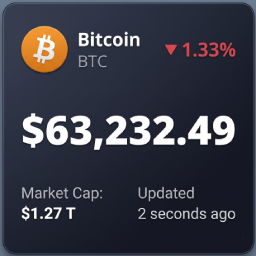
Live crypto prices via DScroll or CoinMarketCap. No API key required. Display using shortcode, Gutenberg block, or Elementor widget.

By PSM Plugins
Stop losing sales. Our multi currency switcher & converter shows local prices in WooCommerce to reduce cart abandonment and boost your global sales.
CHOOSE WHAT YOUR WEBSITE NEEDS
Start with the task you need to solve. Compare features, WordPress and PHP requirements, update history and the author’s documentation. Test changes on a private copy and avoid adding several plugins for the same job.
This independent directory displays plugin information on WebFulHost and links to the official source. Packages are not mirrored or installed here. A plugin can include paid extensions or services with separate terms from its author.

