WordPress backup plugin: backups, restore & migration in minutes. Clone or duplicate your site, test updates on a staging copy. 100% unit-tested.
★ 4.8/5 (2,471)100,000+ active installations
- Version
- 4.22.0
- WordPress
- 3.6+
- PHP
- 7.0+
- Updated
- 20 Nov 2026
WORDPRESS RESOURCES
Explore public plugin information from the official WordPress.org directory. Compare what a plugin does, its requirements and update history before adding it to your website.
Explore WordPress hosting →10,000 matching plugins reported by WordPress.org · Page 9 of 50
Source: WordPress.org
Data refreshed 20 Nov 2026 10:34 UTC
WordPress backup plugin: backups, restore & migration in minutes. Clone or duplicate your site, test updates on a staging copy. 100% unit-tested.

By Christian Leuenberg
Adds a dashboard widget showing server information such as the current PHP version.

By Ninja Team
FastDup - Fastest WordPress Migration & Duplicator
Easy to use advanced Parallax, Image and Video backgrounds block plugin with parallax and video support.

By Yes We Work
Replaces the default Dashboard to provide a much better overview of your content and activity as soon as you log in. Requires no configuration.
Real-time visitor stats, session replay and heatmaps for your WordPress site. See exactly how visitors use your site - and why they leave.
Connect your WooCommerce Store to all the UPS Services you require and manage your orders, shipments and labels in your Shipping Dashboard.

By Jerry Rietveld
The click-to-call button for WordPress since 2013. Add a call button in under a minute. No code, mobile and desktop, with click tracking.
By Web Builder 143
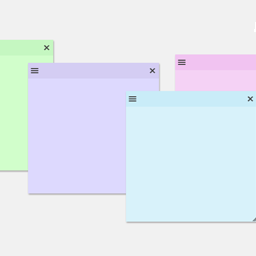
Create sticky notes in your WP admin for reminders and to-dos. Restrict notes by user roles and disable them on specific pages.

By Passionate Brains
Connect Google Analytics to WordPress in a few clicks. Track key WooCommerce & WordPress events with a GA4 dashboard built into wp-admin.

By Rank Math SEO
Grow your organic traffic and AI visibility with powerful SEO tools, XML sitemaps, Schema automation, and built-in AI SEO, all in one place.

By Harish Chouhan
Easily add a custom favicon and Apple touch icon to your WordPress site, including support for dark mode, SVG icons, and admin dashboard branding.
CHOOSE WHAT YOUR WEBSITE NEEDS
Start with the task you need to solve. Compare features, WordPress and PHP requirements, update history and the author’s documentation. Test changes on a private copy and avoid adding several plugins for the same job.
This independent directory displays plugin information on WebFulHost and links to the official source. Packages are not mirrored or installed here. A plugin can include paid extensions or services with separate terms from its author.