

Page scroll to id
By malihu
Create links that scroll the page smoothly to any id within the document.
★ 4.9/5 (225)100,000+ active installations
- Version
- 1.7.9
- WordPress
- 3.3+
- Updated
- 9 Jun 2026
WORDPRESS RESOURCES
Explore public plugin information from the official WordPress.org directory. Compare what a plugin does, its requirements and update history before adding it to your website.
Explore WordPress hosting →2,369 matching plugins reported by WordPress.org · Page 9 of 50
Source: WordPress.org
Data refreshed 24 Nov 2026 08:34 UTC
By malihu
Create links that scroll the page smoothly to any id within the document.
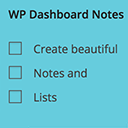
By Jeroen Sormani
Working with multiple persons on a website? Want to make notes? You can do just that with WP Dashboard Notes. Create beautiful notes with a nice user …

By WP Media
Adminimize that lets you hide 'unnecessary' items from the WordPress backend

By Nitin Prakash
Thank You Page for WooCommerce lets you create custom Thank You page or Thank You URL, giving customers a more personalized post‑purchase experience.

By Art Project Group
Add to WooCommerce shipping costs calculating based on weight, size and post code, state (province) and/or customer’s country.

By Brandon Kraft
Genesis widget to add newsletter signup forms for MailChimp, AWeber, FeedBlitz, ConvertKit, and other mailing lists.

A bag of myCred addons for user engagement through WordPress & WooCommerce gamification. Get multiple free add-ons with one point rewards system.

By Md. Amdadul Haque
Free recurring donations, 0% platform fees. Stripe, PayPal, bKash/Nagad via SSLCommerz. Setup wizard, shortcodes, dashboard, and reports.

By WP Zone
Easily add custom CSS and JavaScript code to your WordPress site, with draft previewing, revisions, and minification!

By WPKoders
Accept donations on any WooCommerce product. Let customers give a fixed or custom amount with a clean, mobile-friendly donation form.

By Jeff Starr
Provides options to disable the extra images generated by WordPress.

By givecloud
Embed beautiful, mobile-friendly donation experiences powered by Givecloud — seamlessly connected to your WordPress site.
CHOOSE WHAT YOUR WEBSITE NEEDS
Start with the task you need to solve. Compare features, WordPress and PHP requirements, update history and the author’s documentation. Test changes on a private copy and avoid adding several plugins for the same job.
This independent directory displays plugin information on WebFulHost and links to the official source. Packages are not mirrored or installed here. A plugin can include paid extensions or services with separate terms from its author.