Order Sync with Zendesk for WooCommerce
By WP Swings
Manage Customer Support Tickets and Orders with Zendesk Woo Order Sync
★ 5.0/5 (2)30+ active installations
- Version
- 2.2.3
- WordPress
- 5.5.0+
- PHP
- 7.4+
- Updated
- 6 Aug 2026
WORDPRESS RESOURCES
Explore public plugin information from the official WordPress.org directory. Compare what a plugin does, its requirements and update history before adding it to your website.
Explore WordPress hosting →299 matching plugins reported by WordPress.org · Page 9 of 25
Source: WordPress.org
Data refreshed 20 Nov 2026 13:00 UTC
By WP Swings
Manage Customer Support Tickets and Orders with Zendesk Woo Order Sync
Sell event tickets, manage RSVPs, and book seats with an interactive seating chart. Zero commission, with or without WooCommerce.

By nicheaddons
Events Addon for Elementor is an Elementor Addons for Event Websites.

By Xfinitysoft
Set WooCommerce order limits with ease. Control min/max quantities, cart totals, category rules, user role restrictions, and checkout limit.
By pay4all
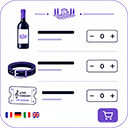
Sell products, services, events, courses and meals with a complete order form, Stripe, myPOS & TWINT payments, delivery, pickup and more.

All-in-one WordPress CRM: email, SMS and WhatsApp marketing, newsletters, sales pipeline, booking, helpdesk, MCP and automations. A self-hosted CRM.
Connect multiple Zoho products (CRM, Books, Desk, Inventory, Invoice, Campaigns & Bigin) with WooCommerce and WordPress forms.

By Desku.io (A Division of Hosted.com LLC)
AI customer service software for WordPress—live chat, instant replies & a smart knowledge base to boost support in minutes.

By kodio
Sell tickets from WordPress with Tikket: event pages, hosted checkout, Nordic currencies, QR scanner access, and mobile check-in.

By webhosting4ugr
Independent WooCommerce gateway by WebHosting4U for the ePay Paycenter (Piraeus Bank / Euronet Merchant Services) Redirection service.

By Ometrics, LLC
Increase eCommerce sales and leads with Ochatbot - a free AI Chatbot.
WooCommerce event ticketing plugin for WordPress. Create events, sell tickets, manage capacity, generate PDF tickets, and check in attendees.
CHOOSE WHAT YOUR WEBSITE NEEDS
Start with the task you need to solve. Compare features, WordPress and PHP requirements, update history and the author’s documentation. Test changes on a private copy and avoid adding several plugins for the same job.
This independent directory displays plugin information on WebFulHost and links to the official source. Packages are not mirrored or installed here. A plugin can include paid extensions or services with separate terms from its author.