WP Plugin Manager lets you disable plugins on specific pages and posts so they only load where needed. No code required.
★ 4.4/5 (23)3,000+ active installations
- Version
- 1.5.0
- WordPress
- 5.0+
- PHP
- 7.4+
- Updated
- 3 Nov 2026
View plugin details ↗Make website faster, speed up page load time and improve performance scores in tools like Google PageSpeed Insights, GTmetrix, Pingdom, and more.
★ 4.6/5 (339)10,000+ active installations
- Version
- 2.2.3
- WordPress
- 4.5+
- PHP
- 5.6+
- Updated
- 21 Aug 2026
View plugin details ↗Uses the FullCalendar library to create a stunning calendar view of events, posts and other custom post types
★ 4.7/5 (96)8,000+ active installations
- Version
- 1.6.1
- WordPress
- 3.6+
- Updated
- 24 Sep 2026
View plugin details ↗A zooming and panning plugin inspired by google photos for your web images.
★ 4.9/5 (10)700+ active installations
- Version
- 3.0.3
- WordPress
- 4.1+
- PHP
- 7.0+
- Updated
- 6 Nov 2026
View plugin details ↗
By LiteSpeed Technologies
All-in-one unbeatable acceleration & PageSpeed improvement: caching, image/CSS/JS optimization...
★ 4.8/5 (2,784)7,000,000+ active installations
- Version
- 7.9.3
- WordPress
- 6.0+
- PHP
- 7.4+
- Updated
- 3 Nov 2026
View plugin details ↗WP Travel Gutenberg Blocks is the easiest, most flexible way to display your Trips using the Gutenberg blocks.
800+ active installations
- Version
- 3.9.9
- WordPress
- 6.0+
- PHP
- 7.4+
- Updated
- 12 Oct 2026
View plugin details ↗Connect WordPress with External APIs and create no-code custom WordPress REST API endpoints to interact with the WordPress database to perform SQL ope …
★ 4.8/5 (45)1,000+ active installations
- Version
- 5.1.0
- WordPress
- 3.0.1+
- PHP
- 5.4+
- Updated
- 13 Nov 2026
View plugin details ↗Secure and customize your WordPress login page with a custom login URL, 2FA, CAPTCHA, and more.
★ 3.6/5 (35)60,000+ active installations
- Version
- 2.5.2
- WordPress
- 6.2+
- PHP
- 7.4+
- Updated
- 11 Nov 2026
View plugin details ↗This plugin will help you to track your visitors & visits, browsers, operating systems, GEO locations and much more, easy to install and working fine.
★ 4.5/5 (156)20,000+ active installations
- Version
- 8.9.1
- WordPress
- 5.0+
- Updated
- 4 Nov 2026
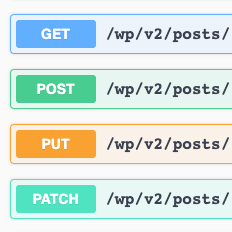
View plugin details ↗WordPress REST API with Swagger UI.
★ 5.0/5 (11)2,000+ active installations
- Version
- 2.4.0
- WordPress
- 4.7+
- PHP
- 7.4+
- Updated
- 12 Jul 2026
View plugin details ↗Manage inventory in WordPress without WooCommerce. Unlimited items, custom fields, shortcode display. Trusted by 120,000+ sites since 2013.
★ 4.6/5 (32)1,000+ active installations
- Version
- 2.5.11
- WordPress
- 3.5.0+
- Updated
- 18 Nov 2026
View plugin details ↗Proofread & Audit your WordPress website with One Click! Find & fix the errors and build a professional image for your business.
★ 2.9/5 (39)2,000+ active installations
- Version
- 12.2
- WordPress
- 6.0+
- PHP
- 7.4+
- Updated
- 28 Sep 2026
View plugin details ↗