

Manage GTINs (EAN, UPC, ISBN, etc.) effortlessly in WooCommerce! Create, save, search, and display EANs easily, with tools for bulk actions, etc.
★ 4.9/5 (56)10,000+ active installations
- Version
- 5.6.0
- WordPress
- 5.7+
- Updated
- 17 Aug 2026
WORDPRESS RESOURCES
Explore public plugin information from the official WordPress.org directory. Compare what a plugin does, its requirements and update history before adding it to your website.
Explore WordPress hosting →99 matching plugins reported by WordPress.org · Page 1 of 9
Source: WordPress.org
Data refreshed 19 Nov 2026 03:16 UTC
Manage GTINs (EAN, UPC, ISBN, etc.) effortlessly in WooCommerce! Create, save, search, and display EANs easily, with tools for bulk actions, etc.
By Dmitry V. (CEO of "UKR Solution")
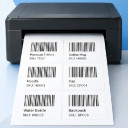
WooCommerce barcode generator for product and order labels & price tags. Easily print label with your printer (UPC, EAN, GS1, GTIN, QRcode).
Most popular WooCommerce product feed plugin supporting Google shopping feed, meta/facebook feed, bing product feed & more.

By wpdesk
The Flexible EAN for WooCommerce plugin can save the EAN barcode for simple and variable products.

By howdytheme
Add EAN, UPC, ITF-14 and ISBN barcodes to WooCommerce products. Display barcode images on product, shop, order, and thank-you pages with full style co …

By Dmitry V. (CEO of "UKR Solution")
Manage and sell (POS) your inventory. It reads barcodes & finds woocommerce products/orders. Create orders right from the wp-admin.

By Sharabindu Bakshi
Generate and print barcodes for WooCommerce products and orders automatically, using SKU, ID, GTIN, UPC, EAN, or ISBN.

By Digital Challenge
This plugin helps you create an XML feed for Skroutz and BestPrice marketplaces.

By skyservers
Automatically search and assign EAN/GTIN barcodes to WooCommerce products using free barcode databases.

By bjorntech
Keep WooCommerce and PayPal POS (formerly Zettle) in sync.
Auto-generate and attach WooCommerce PDF invoices and packing slips to order emails with customizable templates & bulk print options.
Apply discounts & coupons via URL (link) to enhance user experience and increase conversion rates on your store
CHOOSE WHAT YOUR WEBSITE NEEDS
Start with the task you need to solve. Compare features, WordPress and PHP requirements, update history and the author’s documentation. Test changes on a private copy and avoid adding several plugins for the same job.
This independent directory displays plugin information on WebFulHost and links to the official source. Packages are not mirrored or installed here. A plugin can include paid extensions or services with separate terms from its author.


