

CodeColorer
By Dmytro Shteflyuk
Syntax highlighting for code snippets in posts, comments, and RSS, with inline code, themes, and line numbers.
★ 4.9/5 (11)1,000+ active installations
- Version
- 0.12.0
- WordPress
- 4.0+
- PHP
- 7.0+
- Updated
- 15 Aug 2026
WORDPRESS RESOURCES
Explore public plugin information from the official WordPress.org directory. Compare what a plugin does, its requirements and update history before adding it to your website.
Explore WordPress hosting →7 matching plugins reported by WordPress.org · Page 1 of 1
Source: WordPress.org
Data refreshed 19 Nov 2026 15:05 UTC
By Dmytro Shteflyuk
Syntax highlighting for code snippets in posts, comments, and RSS, with inline code, themes, and line numbers.
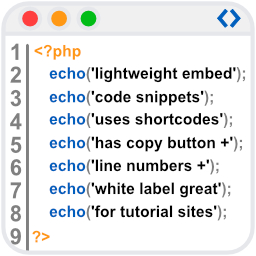
By conlabltd
WpBetterCodeHighlighting allows you to show code snippets in over 290+ languages. Its completly free and perfect for blog/tutorial sites.

By Travis
An easy to use lightweight SVG icons plugin with over 1500+ brand icons. Use these icons in your menus, widgets, posts, or pages.

By Web Guy
Display icons for your social media profile links.

By C. E.
Improves your website with highlighted Mathematica code, embedded CDFs, and Wolfram Cloud content.

By Darshan Sawardekar
Syntax Highlighter for WordPress using Highlight.js.

By pedrobc
Adds a Wolfram Alpha search form widget
CHOOSE WHAT YOUR WEBSITE NEEDS
Start with the task you need to solve. Compare features, WordPress and PHP requirements, update history and the author’s documentation. Test changes on a private copy and avoid adding several plugins for the same job.
This independent directory displays plugin information on WebFulHost and links to the official source. Packages are not mirrored or installed here. A plugin can include paid extensions or services with separate terms from its author.