
Social Divi
By Jelle Roorda
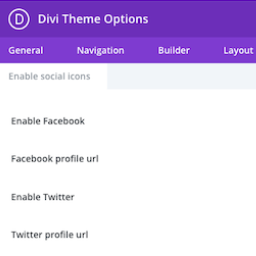
This plugin adds the ability to add more social icons to your website when using the Divi theme.
★ 5.0/5 (4)1,000+ active installations
- Version
- 1.8.1
- WordPress
- 5.1+
- PHP
- 5.4+
- Updated
- 7 May 2026
WORDPRESS RESOURCES
Explore public plugin information from the official WordPress.org directory. Compare what a plugin does, its requirements and update history before adding it to your website.
Explore WordPress hosting →11 matching plugins reported by WordPress.org · Page 1 of 1
Source: WordPress.org
Data refreshed 25 Nov 2026 05:25 UTC
By Jelle Roorda
This plugin adds the ability to add more social icons to your website when using the Divi theme.

By Erica Franz
The easiest way to add Socicon, the social icon font, to your site!

By Fernando Tellado
Merge several RSS feeds into one dashboard widget, sorted by date, and post your own announcements to your clients.

By vrpr
With this plugin you can add 'WDV About Me Widget' widget to your theme. You can add you data or your firm data.

By samiur6688
Manage your team members and display them on your website with images, descriptions, and social media links.

By OsomPress
Display icons linking to your social profiles, via the classic widget or the core Social Icons block variations.
Social media icons and share buttons: 2,400+ icons, block, widget & Elementor. Plus a Click to Chat button for WhatsApp, Telegram & Messenger.

By Travis
An easy to use lightweight SVG icons plugin with over 1500+ brand icons. Use these icons in your menus, widgets, posts, or pages.

By Twitter
Official Twitter and Periscope plugin for WordPress. Embed content and grow your audience. Requires PHP 5.6 or greater.

By mudssar
Amazing Neo is one of the best icon font by Amazing Team. This plugin allows you to insert brands/social icons in any widget area.

By MPWR Design
Latest Katch embeds the latest Periscope or Meerkat video from a Katch.me account into any page or post.
CHOOSE WHAT YOUR WEBSITE NEEDS
Start with the task you need to solve. Compare features, WordPress and PHP requirements, update history and the author’s documentation. Test changes on a private copy and avoid adding several plugins for the same job.
This independent directory displays plugin information on WebFulHost and links to the official source. Packages are not mirrored or installed here. A plugin can include paid extensions or services with separate terms from its author.
