Increase order revenue by showing your customers just how close they are to your free shipping threshold.
★ 5.0/5 (43)5,000+ active installations
- Version
- 4.0.0
- WordPress
- 6.8+
- PHP
- 7.4+
- Updated
- 19 Oct 2026
WORDPRESS RESOURCES
Explore public plugin information from the official WordPress.org directory. Compare what a plugin does, its requirements and update history before adding it to your website.
Explore WordPress hosting →5,119 matching plugins reported by WordPress.org · Page 1 of 50
Source: WordPress.org
Data refreshed 18 Nov 2026 22:49 UTC
Increase order revenue by showing your customers just how close they are to your free shipping threshold.
Auto-generate and attach WooCommerce PDF invoices and packing slips to order emails with customizable templates & bulk print options.

By Md Nishath Khandakar
The #1 Google Address Autocomplete for WordPress. Point-and-click setup, no coding. Works with WooCommerce, CF7, WPForms, Gravity Forms & Elementor.
Google address autocomplete for any WordPress form. Pick a suggested address and the street, city, state, ZIP and country fields fill themselves.

By Ideal Postcodes
Ideal Postcodes UK address validation and postcode lookup extension for WooCommerce
Simple and easy to use address validation & google address autocomplete plugin. Uses EasyPost, UPS, USPS, AddressFinder & Google APIs.

By 3XSoftware
Postcodes4U Address Finder lets you look up an address using a UK Postcode. Includes WooCommerce, Contact Form 7 and Gravity Forms Integration. ..

By Automattic
Everything you need to launch an online store in days and keep it growing for years. From your first sale to millions in revenue, Woo is with you.

By silverplugins217
Let WooCommerce customers save and switch between multiple billing and shipping addresses at checkout and in their account — with one click.

By WPMU DEV - Your All-in-One WordPress Platform
White label & rebrand your login page & WordPress dashboard. Customize system emails & get everything to rebrand WordPress with Branda.
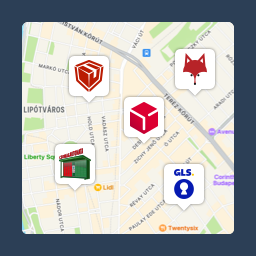
Pickup point map and shipping labels for WooCommerce, for home delivery too. MPL, Foxpost, GLS, DPD, Express One, Packeta and more.

By Tijmen Smit
Free store locator with OpenStreetMap maps and no API key. Or use Google Maps, Mapbox or Stadia Maps. Unlimited locations, custom fields and markers.
CHOOSE WHAT YOUR WEBSITE NEEDS
Start with the task you need to solve. Compare features, WordPress and PHP requirements, update history and the author’s documentation. Test changes on a private copy and avoid adding several plugins for the same job.
This independent directory displays plugin information on WebFulHost and links to the official source. Packages are not mirrored or installed here. A plugin can include paid extensions or services with separate terms from its author.