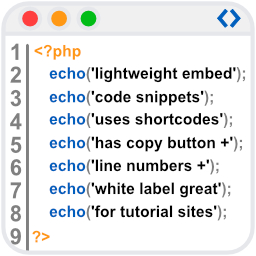
Reincarnation of Crayon Syntax Highlighter. Syntax Highlighter supporting multiple languages, themes, fonts, highlighting from a URL, or post text.
★ 4.5/5 (19)3,000+ active installations
- Version
- 2.9.2
- WordPress
- 6.9+
- Updated
- 12 Sep 2026
View plugin details ↗Adds breadcrumb navigation showing the visitor's path to their current location.
★ 4.6/5 (132)700,000+ active installations
- Version
- 7.5.2
- WordPress
- 5.8+
- PHP
- 7.0+
- Updated
- 29 Aug 2026
View plugin details ↗All-in-one Syntax Highlighting solution. Full Gutenberg and Classic Editor integration. Graphical theme customizer. Based on EnlighterJS.
★ 4.8/5 (65)10,000+ active installations
- Version
- 4.7.0
- WordPress
- 6.8+
- PHP
- 7.4+
- Updated
- 13 Apr 2026
View plugin details ↗FooSales® POS turns any device into a retail checkout for WooCommerce. Sync products, orders, and customers with integrated Square and Stripe support.
★ 3.2/5 (13)700+ active installations
- Version
- 1.44.5
- WordPress
- 6.3+
- PHP
- 7.4+
- Updated
- 14 Nov 2026
View plugin details ↗This plugin displays a linked list by page number. It is simple but has several features.
★ 5.0/5 (1)200+ active installations
- Version
- 6.0
- WordPress
- 4.5+
- PHP
- 7.0+
- Updated
- 4 Dec 2025
View plugin details ↗Premier WordPress book gallery plugin, offering advanced search options and multiple layouts for effortless book showcasing.
★ 3.9/5 (25)1,000+ active installations
- Version
- 6.7.72
- WordPress
- 4.9+
- PHP
- 8.1+
- Updated
- 9 Sep 2026
View plugin details ↗Generate researched, SEO-ready articles with AI, check and refresh content with SEO tools, auto-publish on a schedule, and add an AI chatbot.
★ 4.0/5 (1)10+ active installations
- Version
- 5.1.0
- WordPress
- 6.0+
- PHP
- 7.0+
- Updated
- 15 Nov 2026
View plugin details ↗AI chatbot & shopping assistant for WooCommerce. Natural language search, product recommendations, cart management, & order lookup via OpenAI/Gemini.
20+ active installations
- Version
- 1.0.4
- WordPress
- 6.2+
- PHP
- 8.1+
- Updated
- 8 Oct 2026
View plugin details ↗Membership management for associations & NGOs: members, membership levels, fees, a gated member directory, and general-assembly voting.
0+ active installations
- Version
- 2.16.0
- WordPress
- 6.4+
- PHP
- 8.1+
- Updated
- 29 Sep 2026
View plugin details ↗Convert, optimize, compress, and resize images locally. Create WebP, AVIF, JPEG, PNG, and text graphics without an external service.
10+ active installations
- Version
- 1.1.1
- WordPress
- 6.4+
- PHP
- 7.4+
- Updated
- 1 Nov 2026
View plugin details ↗WpBetterCodeHighlighting allows you to show code snippets in over 290+ languages. Its completly free and perfect for blog/tutorial sites.
0+ active installations
- Version
- 1.1
- WordPress
- 6.0+
- Updated
- 19 Sep 2026
View plugin details ↗Sign in with Vimine, the member card, the events and the enrolment form of your association, on its WordPress site.
0+ active installations
- Version
- 0.1.7
- WordPress
- 6.4+
- PHP
- 8.1+
- Updated
- 13 Nov 2026
View plugin details ↗