

Behance Portfolio Manager
By eleopard
Show Behance Projects to Your WordPress Website
★ 4.8/5 (18)300+ active installations
- Version
- 1.8.3
- WordPress
- 3.8+
- Updated
- 14 Sep 2026
WORDPRESS RESOURCES
Explore public plugin information from the official WordPress.org directory. Compare what a plugin does, its requirements and update history before adding it to your website.
Explore WordPress hosting →64 matching plugins reported by WordPress.org · Page 1 of 6
Source: WordPress.org
Data refreshed 19 Nov 2026 04:44 UTC
By eleopard
Show Behance Projects to Your WordPress Website

By WebFactory
Easy to use Under Construction Page & Coming Soon Page. Enable Under Construction Mode in seconds & show you're Under Construction!
90+ Elementor widgets & addons, 600+ templates, Mega Menu, WooCommerce, Display Conditions. The only Elementor addon AI agents can fully build with.
Join millions who empower their websites with ElementsKit Elementor Addons. Get templates, & 100+ widgets like header-footer, mega menu, custom widget
Get leads with a floating contact form tab, chat & social buttons like Facebook Messenger, WhatsApp, Viber, Telegram, Twitter, Instagram & more 🎉
Your content is worth sharing. Let's makes it easier!

By Daniyal Ahmed (a11n)
Floating social icons, share buttons, a widget & a Gutenberg block, in one fast plugin — completely rebuilt, with a one-click import of your exist …
By Jelle Roorda
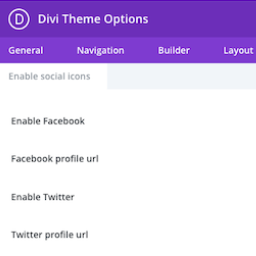
This plugin adds the ability to add more social icons to your website when using the Divi theme.
Simple & easy plugin to add social media sharing icons, buttons like Facebook, Twitter, WhatsApp, Instagram & more

By Erica Franz
The easiest way to add Socicon, the social icon font, to your site!
Build photo galleries, image galleries, and portfolio grids with gallery blocks. Masonry, lightbox, sliders, and filters included.
Social media icons and share buttons: 2,400+ icons, block, widget & Elementor. Plus a Click to Chat button for WhatsApp, Telegram & Messenger.
CHOOSE WHAT YOUR WEBSITE NEEDS
Start with the task you need to solve. Compare features, WordPress and PHP requirements, update history and the author’s documentation. Test changes on a private copy and avoid adding several plugins for the same job.
This independent directory displays plugin information on WebFulHost and links to the official source. Packages are not mirrored or installed here. A plugin can include paid extensions or services with separate terms from its author.






