

Quick Buy Now Button for WooCommerce
By Tanvirul Haque
WooCommerce Buy Now Button makes your customers' checkout process easier and faster.
★ 5.0/5 (10)50,000+ active installations
- Version
- 1.2.0
- WordPress
- 4.8+
- PHP
- 7.4+
- Updated
- 7 Nov 2026
WORDPRESS RESOURCES
Explore public plugin information from the official WordPress.org directory. Compare what a plugin does, its requirements and update history before adding it to your website.
Explore WordPress hosting →1,085 matching plugins reported by WordPress.org · Page 1 of 50
Source: WordPress.org
Data refreshed 21 Nov 2026 01:52 UTC
By Tanvirul Haque
WooCommerce Buy Now Button makes your customers' checkout process easier and faster.

By WPClever
WPC Buy Now Button is the ultimate time-saving plugin that helps customers skip the cart page and get redirected straight to the checkout step.

Sell event tickets with WooCommerce. Event registration, recurring events, RSVP, attendee management & event calendar — free.
Connect ChatGPT, Claude, or another AI agent to your site. Plus backup, malware scan, firewall, stats, CDN, and SEO tools in one plugin.
Adds a "buy in one click" button to your WooCommerce store.

By Buy Me a Coffee
A free, fast, and friendly way to accept donations and memberships (recurring payments) from your visitors.
A WordPress LMS Plugin to create WordPress Learning Management System. Turn your WordPress to LMS WordPress Website with Courses, Lessons, Quizzes &am …
Lightweight, scalable and full-featured event listings & management plugin for managing events & tickets from the Frontend and Backend.

By Scott Paterson
Add a PayPal Buy Now Button to your website and start selling with PayPal and Stripe today. No Coding Required. Official PayPal & Stripe Partner.
Payments & Invoicing plugin for WordPress to quickly and easily sell online. Create Buy Now buttons or inline checkout forms in seconds to accept …
The #1 eCommerce plugin to sell digital products & subscriptions. Accept payments with Stripe & PayPal. Sell ebooks, software & more.
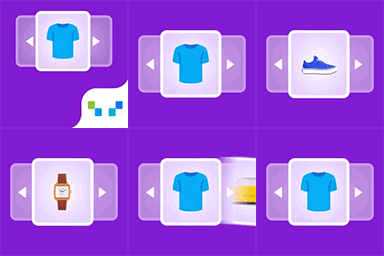
This WooCommerce related products plugin, lets you create upsells, and cross-sells with smart WooCommerce product recommendations widget.
CHOOSE WHAT YOUR WEBSITE NEEDS
Start with the task you need to solve. Compare features, WordPress and PHP requirements, update history and the author’s documentation. Test changes on a private copy and avoid adding several plugins for the same job.
This independent directory displays plugin information on WebFulHost and links to the official source. Packages are not mirrored or installed here. A plugin can include paid extensions or services with separate terms from its author.





