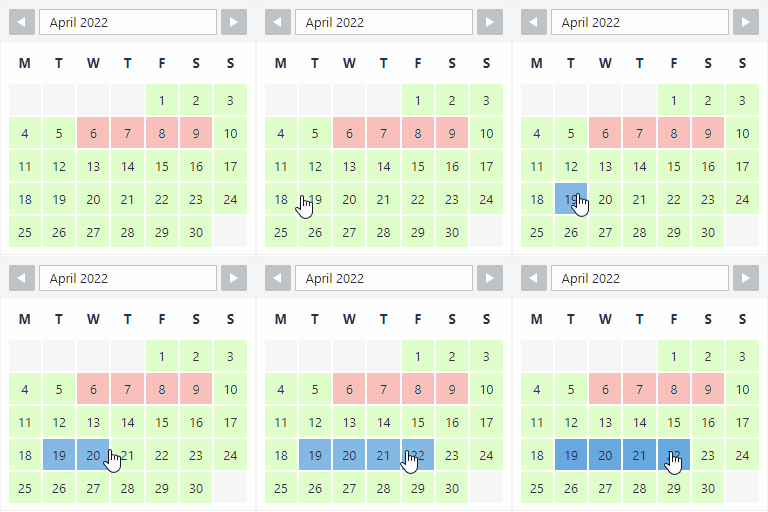
WP Booking Calendar plugin for full-day bookings, time-slot appointments, rentals & events. Accept bookings and inquiries with flexible contact forms
★ 4.8/5 (657)40,000+ active installations
- Version
- 12.0
- WordPress
- 5.3+
- PHP
- 5.6+
- Updated
- 2 Nov 2026
View plugin details ↗Create rental and booking products with WooCommerce for cars, bikes, equipment, dresses, resorts, appointments, and more.
★ 4.4/5 (33)1,000+ active installations
- Version
- 2.8.5
- WordPress
- 5.3+
- PHP
- 7.0+
- Updated
- 9 Nov 2026
View plugin details ↗The booking calendar plugin for WordPress. Get easy online booking with this lightweight and powerful booking calendar.
★ 4.9/5 (344)10,000+ active installations
- Version
- 2.1.0.8
- WordPress
- 4.7+
- PHP
- 5.6+
- Updated
- 10 Nov 2026
View plugin details ↗A complete appointment scheduling and booking calendar for WordPress — integrates with WooCommerce, Google Calendar, Zoom, and more.
★ 4.4/5 (9)2,000+ active installations
- Version
- 1.2.11
- WordPress
- 6.8+
- PHP
- 7.4+
- Updated
- 15 Nov 2026
View plugin details ↗Robust Car Rental Management System for any kind of vechicles. The most reliable booking solution for managing vehicles rentals through your website.
★ 4.8/5 (30)4,000+ active installations
- Version
- 1.4.12
- WordPress
- 4.7+
- PHP
- 7.4+
- Updated
- 12 Nov 2026
View plugin details ↗Car Rental Manager – ready-to-use WordPress car rental booking plugin. Manage vehicles, payments, and bookings effortlessly, with or without WooCommer …
★ 5.0/5 (1)100+ active installations
- Version
- 1.5.8
- WordPress
- 5.6+
- PHP
- 7.2+
- Updated
- 16 Nov 2026
View plugin details ↗Simplify a Customer’s Booking Experience with eaSYNC Booking — a WordPress Booking Plugin for Hotels, Restaurants, and Car Rentals!
★ 4.1/5 (17)100+ active installations
- Version
- 1.3.31
- WordPress
- 6.0+
- PHP
- 7.2+
- Updated
- 12 Oct 2026
View plugin details ↗Hotel, Car Rental & Tour Booking WordPress plugin. Build a website like Booking.com, Airbnb, Enterprise, Avis. WooCommerce and Elementor Supported.
★ 4.1/5 (16)1,000+ active installations
- Version
- 3.0.2
- WordPress
- 5.4+
- PHP
- 7.4+
- Updated
- 11 Oct 2026
View plugin details ↗Unlimited appointments, booking calendars, and notifications. Powerful appointment booking plugin and booking system. Start scheduling for free today!
★ 5.0/5 (155)50,000+ active installations
- Version
- 1.6.13.6
- WordPress
- 5.1+
- PHP
- 7.4+
- Updated
- 17 Nov 2026
View plugin details ↗
By Melograno Venture Studio
Trafft is a next-level booking system offering limitless opportunities for scheduling appointments and managing your calendar & all of your bookings.
★ 5.0/5 (3)400+ active installations
- Version
- 1.0.19
- PHP
- 7.4+
- Updated
- 29 Sep 2026
View plugin details ↗Turn any WordPress site into an online appointment booking system. Real-time calendar, staff scheduling, WooCommerce payments, coupons, and a customer …
★ 4.4/5 (11)200+ active installations
- Version
- 1.4.6
- WordPress
- 5.3+
- PHP
- 7.0+
- Updated
- 5 Nov 2026
View plugin details ↗AI-powered WordPress directory plugin to build a business directory or classified ads site: maps, reviews, radius search, paid listings. No coding.
★ 4.8/5 (138)8,000+ active installations
- Version
- 6.3.0
- WordPress
- 6.0+
- PHP
- 7.4+
- Updated
- 16 Nov 2026
View plugin details ↗