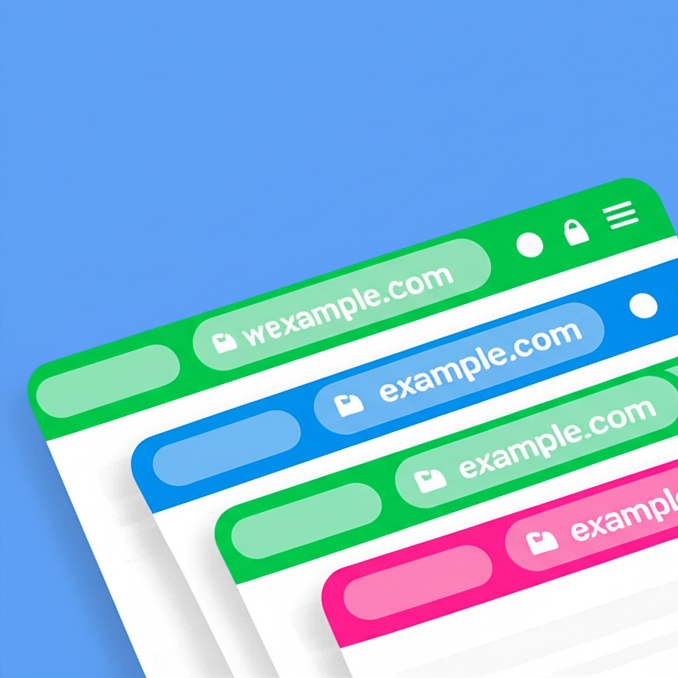
Color the mobile browser address bar with your brand color, with a separate color for dark mode.
★ 5.0/5 (1)2,000+ active installations
- Version
- 2.0.1
- WordPress
- 5.0+
- PHP
- 7.0+
- Updated
- 5 Oct 2026
View plugin details ↗Accept Credit Cards, Google Pay, ApplePay, Afterpay, Affirm, ACH, Klarna, iDEAL and more all in one plugin for free!
★ 4.8/5 (303)100,000+ active installations
- Version
- 4.0.21
- WordPress
- 4.7+
- PHP
- 7.4+
- Updated
- 19 Nov 2026
View plugin details ↗The Elementor Website Builder has it all: drag and drop page builder, Atomic Editor, pixel perfect design, global and reusable style systems, mobile r …
★ 4.5/5 (7,328)10,000,000+ active installations
- Version
- 4.4.1
- WordPress
- 6.8+
- PHP
- 7.4+
- Updated
- 16 Nov 2026
View plugin details ↗Customize your mobile browsing experience by setting theme colors for the address bar of your pages on your WordPress site
★ 4.5/5 (2)300+ active installations
- Version
- 4.2
- WordPress
- 4.6+
- Updated
- 19 Apr 2026
View plugin details ↗Personnalisez la palette de couleurs Gutenberg,la typographie,les blocs natifs, l'éditeur et l’administration WordPress,sans blocs propriétaires.
★ 5.0/5 (4)80+ active installations
- Version
- 3.6.6
- WordPress
- 6.6+
- PHP
- 7.4+
- Updated
- 12 Nov 2026
View plugin details ↗DearFlip creates a PDF Flipbook, 3D Flipbook, PDF viewer, PDF embed for WordPress sites. Create impressive and realistic 3D flipbooks with PDFs.
★ 4.9/5 (195)200,000+ active installations
- Version
- 2.4.37
- WordPress
- 4.6+
- PHP
- 5.3+
- Updated
- 9 Sep 2026
View plugin details ↗Color Posts changes the background color of your post to match the image you've inserted into that post.
★ 3.7/5 (3)20+ active installations
- Version
- 1.6.2
- WordPress
- 4.7+
- Updated
- 22 May 2026
View plugin details ↗SuperPWA helps you convert your WordPress website into a Progressive Web App instantly.
★ 4.6/5 (225)40,000+ active installations
- Version
- 2.2.49
- WordPress
- 5.0+
- PHP
- 5.3+
- Updated
- 19 Oct 2026
View plugin details ↗Create filterable portfolio galleries with photos, videos, category filters in masonry layouts. Supports Gutenberg blocks and Elementor widgets.
★ 4.8/5 (348)20,000+ active installations
- Version
- 2.2.2
- WordPress
- 5.8+
- PHP
- 7.4+
- Updated
- 21 Oct 2026
View plugin details ↗A version of your site for the visually impaired: a settings panel, Gutenberg blocks, a shortcode and a widget.
★ 4.9/5 (27)10,000+ active installations
- Version
- 2.4.0
- WordPress
- 6.0+
- PHP
- 8.3+
- Updated
- 21 Sep 2026
View plugin details ↗A RGBA-Color-Picker field for Advanced Custom Fields
★ 5.0/5 (5)6,000+ active installations
- Version
- 1.2.3
- WordPress
- 4.7+
- Updated
- 22 Dec 2024
View plugin details ↗Adds powerful customizer options to modify all aspects of the default WordPress theme Twenty Twenty-One.
★ 4.9/5 (64)6,000+ active installations
- Version
- 1.8.0
- WordPress
- 4.6+
- PHP
- 7.0+
- Updated
- 14 Aug 2026
View plugin details ↗