Next Watermark helps you easily add automatically text or/and image watermarks on your images (GIF, JPEG, PNG and WEBP formats supported)! Backup/rest …
★ 3.4/5 (11)200+ active installations
- Version
- 1.8
- WordPress
- 5.3+
- PHP
- 7.3+
- Updated
- 7 Oct 2026
View plugin details ↗Allows to add watermark to images automatically on upload or manually.
★ 3.7/5 (159)30,000+ active installations
- Version
- 1.0.11
- WordPress
- 4.6+
- PHP
- 5.6+
- Updated
- 25 Aug 2025
View plugin details ↗Adds a floating "Copy" button to every code block, with extensive styling options, optional line numbers, max-height control, and custom CSS support.
★ 4.5/5 (2)60+ active installations
- Version
- 1.6.0
- WordPress
- 5.0+
- PHP
- 7.4+
- Updated
- 28 Sep 2026
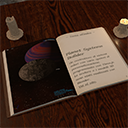
View plugin details ↗Embed and display Ebooks in your website.
★ 5.0/5 (6)400+ active installations
- Version
- 2.1.0
- WordPress
- 6.0+
- PHP
- 7.4+
- Updated
- 6 Sep 2026
View plugin details ↗Adds web-safe fonts to the WordPress block editor (Gutenberg), so your website loads faster and looks more consistent.
0+ active installations
- Version
- 1.3.0
- WordPress
- 6.5+
- PHP
- 7.4+
- Updated
- 14 Nov 2026
View plugin details ↗Next Product Labels & Badges for WooCommerce helps you easily add automatically labels & badges on your WooCommerce shop page or/and your prod …
0+ active installations
- Version
- 1.5
- WordPress
- 5.3+
- Updated
- 7 Oct 2026
View plugin details ↗Change your WordPress dashboard and theme font easy and fast :)
★ 4.3/5 (30)7,000+ active installations
- Version
- 5.3.1
- WordPress
- 5.0+
- Updated
- 23 Apr 2023
View plugin details ↗A cognitive adaptation layer for neurodivergent users: ADHD, dyslexia, autism and sensory sensitivity.
0+ active installations
- Version
- 1.0.2
- WordPress
- 5.8+
- PHP
- 7.4+
- Updated
- 12 Jul 2026
View plugin details ↗Code highlighting powered by the VS Code engine. Performance focused. No bloat.
★ 4.8/5 (50)10,000+ active installations
- Version
- 1.28.0
- WordPress
- 6.0+
- PHP
- 7.0+
- Updated
- 15 Aug 2026
View plugin details ↗Free automated WCAG 2.1 & 2.2 accessibility checker + self-hosted click heatmaps + behavior analytics. One plugin. One dashboard. Zero subscriptions.
0+ active installations
- Version
- 2.2.1
- WordPress
- 6.0+
- PHP
- 7.4+
- Updated
- 13 Nov 2026
View plugin details ↗Portal comunitari rural 100% en Valencià/Català + 5 idiomes (CA, ES, EN, EU, GL) i Traductor Apertium integrat: Xat, Mur, Mercat i Agenda en 3 passos.
0+ active installations
- Version
- 1.1.12
- WordPress
- 6.6+
- PHP
- 7.4+
- Updated
- 3 Nov 2026
View plugin details ↗Make your website accessibility better by adding pre-configured and custom settings in your menu.
★ 3.0/5 (2)10+ active installations
- Version
- 1.1.0
- WordPress
- 4.9+
- PHP
- 7.2+
- Updated
- 3 Jan 2022
View plugin details ↗