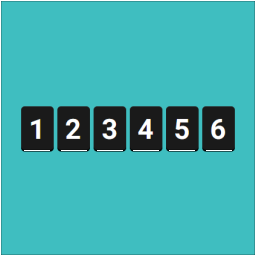
This block provides an animated counter effect for numbers. It’s fast, lightweight, SEO-friendly, accessibility-ready, and fits any design.
★ 5.0/5 (9)2,000+ active installations
- Version
- 1.1.3
- WordPress
- 5.9+
- PHP
- 7.0+
- Updated
- 16 Aug 2026
View plugin details ↗Count and display post views, track site-wide visits, and see what content works – inside WordPress. Fast, easy to use and privacy-first.
★ 4.9/5 (1,241)100,000+ active installations
- Version
- 1.8.2
- WordPress
- 6.4+
- PHP
- 7.4+
- Updated
- 2 Nov 2026
View plugin details ↗20+ Gutenberg Blocks with endless options, enabling top-notch efficiency for high-performance dynamic website creation.
★ 4.8/5 (337)600,000+ active installations
- Version
- 3.9.1.2
- WordPress
- 6.6+
- PHP
- 7.4+
- Updated
- 19 Nov 2026
View plugin details ↗Enables you to display how many times a post/page had been viewed.
★ 4.4/5 (65)90,000+ active installations
- Version
- 2.0.1
- WordPress
- 6.8+
- PHP
- 8.2+
- Updated
- 24 Aug 2026
View plugin details ↗Display number of visits for each page in admin dashboard and browser developer-tool/console. Doesn't count page refresh as a new visit...
★ 4.0/5 (7)5,000+ active installations
- Version
- 2.0.5
- WordPress
- 6.5+
- PHP
- 5.6.40+
- Updated
- 14 Sep 2026
View plugin details ↗Display an SVG image as a block, which can be used for displaying images, icons, dividers, buttons
★ 5.0/5 (14)4,000+ active installations
- Version
- 1.2.4
- WordPress
- 6.5+
- PHP
- 7.1+
- Updated
- 16 Aug 2026
View plugin details ↗Elementor addon: 120+ widgets & templates — Elementor Gallery, Mega Menu, Slider, Form, Post Grid, Accordion, Header Footer Builder & WooCommerce.
★ 4.9/5 (4,133)1,000,000+ active installations
- Version
- 6.8.9
- WordPress
- 5.3+
- PHP
- 7.0+
- Updated
- 15 Nov 2026
View plugin details ↗Lightweight and fast post view counter with smart tracking, built for high-traffic sites and large post databases.
★ 5.0/5 (1)3,000+ active installations
- Version
- 1.3.0
- WordPress
- 6.0+
- PHP
- 7.4+
- Updated
- 22 May 2026
View plugin details ↗Embed YouTube videos without slowing down your site. Easily embed one or multiple videos, shorts, and playlists.
★ 5.0/5 (16)6,000+ active installations
- Version
- 1.1.7
- WordPress
- 6.9+
- PHP
- 7.0+
- Updated
- 23 Sep 2026
View plugin details ↗Track post views and page views, and display popular posts and trending content on your WordPress site.
★ 4.6/5 (102)10,000+ active installations
- Version
- 4.7.1
- WordPress
- 6.8+
- PHP
- 7.4+
- Updated
- 21 Nov 2026
View plugin details ↗Heroic Table of Contents is the easiest way to add a table of contents to your site.
★ 4.7/5 (10)5,000+ active installations
- Version
- 1.3.2
- WordPress
- 6.7+
- PHP
- 8.0+
- Updated
- 14 Sep 2026
View plugin details ↗Display unique visitor or page-view counts anywhere on your site using widgets or shortcodes — Simple, very lightweight and no third-party code.
★ 4.2/5 (6)8,000+ active installations
- Version
- 2.2.3
- WordPress
- 3.4+
- Updated
- 31 May 2026
View plugin details ↗