Brazilian checkout fields: CPF/CNPJ, address number, neighborhood and phone, with automatic CEP address pre-filling and much more for WooCommerce.
★ 4.9/5 (45)5,000+ active installations
- Version
- 5.2.6
- WordPress
- 5.0+
- PHP
- 8.2+
- Updated
- 18 Nov 2026
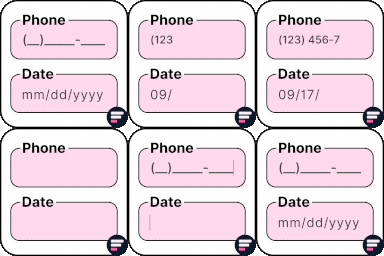
View plugin details ↗Apply input masks in Elementor form widget fields - phone, date, time, credit card, CPF, CNPJ, CEP & more for valid and error-free entries.
★ 4.5/5 (24)10,000+ active installations
- Version
- 4.4.5
- WordPress
- 5.0+
- PHP
- 7.2+
- Updated
- 1 Sep 2026
View plugin details ↗Add input masks to Elementor Pro or Hello Plus form fields - phone, date, time, credit card, CPF, CNPJ, CEP & more for accurate entries.
★ 4.1/5 (18)10,000+ active installations
- Version
- 2.7.4
- WordPress
- 5.5+
- PHP
- 7.4+
- Updated
- 1 Sep 2026
View plugin details ↗
By Ricardo Martins (PagBank Integrações)
PagBank ou Vindi com PIX, Cartão de Crédito, Recorrência + Envio Fácil com Taxas Ainda Menores. Conecte. Converta. Cresça. 99% de aprovação.
★ 5.0/5 (67)3,000+ active installations
- Version
- 5.1.7
- WordPress
- 5.2+
- PHP
- 7.4+
- Updated
- 18 Nov 2026
View plugin details ↗CoffeeCode - Checkout for Getnet and WooCommerce
★ 5.0/5 (24)300+ active installations
- Version
- 2.0.3
- WordPress
- 6.1+
- PHP
- 8.2+
- Updated
- 11 Nov 2026
View plugin details ↗Integração com correios automatizada (Tudo em um), com ou sem contrato, código de rastreio automático, geração de etiquetas, devolução e muito mais.
★ 5.0/5 (90)4,000+ active installations
- Version
- 1.14.0
- WordPress
- 6.0+
- PHP
- 7.4+
- Updated
- 4 Nov 2026
View plugin details ↗Preencha automaticamente o endereço a partir do CEP no checkout do WooCommerce.
★ 4.8/5 (24)7,000+ active installations
- Version
- 1.5.1
- WordPress
- 5.0.0+
- PHP
- 7.0.0+
- Updated
- 26 Oct 2026
View plugin details ↗Frete inteligente, simples e acessível para negócios que querem crescer
★ 3.9/5 (8)4,000+ active installations
- Version
- 3.0.1
- WordPress
- 6.2+
- PHP
- 7.4+
- Updated
- 18 Nov 2026
View plugin details ↗Brazil-ready checkout for WooCommerce: CPF/CNPJ fields, validation, masks, and full Checkout Block compatibility.
★ 5.0/5 (2)100+ active installations
- Version
- 1.2.0
- WordPress
- 6.0+
- PHP
- 7.4+
- Updated
- 6 Jul 2026
View plugin details ↗Payment Gateway for Cielo API for WooCommerce - PIX, Google Pay, Credit Card and Debit Cards.
★ 4.2/5 (5)700+ active installations
- Version
- 1.38.3
- WordPress
- 6.0+
- PHP
- 8.2+
- Updated
- 29 Oct 2026
View plugin details ↗Easily add PayPal payment options to your WooCommerce store.
★ 3.8/5 (12)1,000+ active installations
- Version
- 1.8.2
- WordPress
- 4.4+
- PHP
- 7.4+
- Updated
- 28 Oct 2026
View plugin details ↗Accept Pix payments via Key, PagHiper, C6, SICOOB, Bradesco, Cielo, Rede, Banco do Brasil, Asaas, or Getnet. The complete Pix solution for WooCommerce …
★ 5.0/5 (2)400+ active installations
- Version
- 1.14.0
- WordPress
- 5.0+
- PHP
- 8.2+
- Updated
- 23 Oct 2026
View plugin details ↗