

Debug Bar
By WordPress.org
Adds a debug menu to the admin bar that shows query, cache, and other helpful debugging information.
★ 4.1/5 (69)20,000+ active installations
- Version
- 1.2.0
- WordPress
- 3.4+
- PHP
- 5.4.0+
- Updated
- 15 Oct 2026
WORDPRESS RESOURCES
Explore public plugin information from the official WordPress.org directory. Compare what a plugin does, its requirements and update history before adding it to your website.
Explore WordPress hosting →4,544 matching plugins reported by WordPress.org · Page 1 of 50
Source: WordPress.org
Data refreshed 17 Nov 2026 19:43 UTC
By WordPress.org
Adds a debug menu to the admin bar that shows query, cache, and other helpful debugging information.
Log PHP, database and JavaScript errors via WP_DEBUG with one click. Conveniently create, view, filter and clear the debug.log file.

By SoniNow
Debug your WordPress site by safely toggling the built-in debug flags and getting real-time email alerts when errors occur.

By Lukman Hussain Nakib
Read, search, and clear WordPress debug logs from wp-admin. Toggle WP_DEBUG and inspect errors without FTP.

By Elliot Sowersby / RelyWP
Add Cloudflare Turnstile to WordPress, WooCommerce, Contact Forms & more. The user-friendly, privacy-preserving reCAPTCHA alternative. 100% free!

By Nexcess
The Events Calendar: #1 calendar plugin for WordPress. Create/manage events (virtual too!) on your site with the free plugin.

By Oleksandr Lysyi
Effortlessly view, search, filter and manage your WordPress debug.log in the admin dashboard. Real-time monitoring and email alerts
By Drew Jaynes
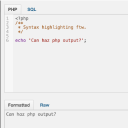
Adds a PHP/SQL console to the Debug Bar. Requires the Debug Bar plugin.
Extends the Query Monitor and Debug Bar plugins for ElasticPress queries.

By Kuba Mikita
View, pause, remove, edit and add WP Cron events and schedules.

By docjojo
Essential toolbox to debug a WordPress installation.

By Younes JFR.
The ultimate solution for resetting your WordPress database or specific components to their default settings using the advanced reset features.
CHOOSE WHAT YOUR WEBSITE NEEDS
Start with the task you need to solve. Compare features, WordPress and PHP requirements, update history and the author’s documentation. Test changes on a private copy and avoid adding several plugins for the same job.
This independent directory displays plugin information on WebFulHost and links to the official source. Packages are not mirrored or installed here. A plugin can include paid extensions or services with separate terms from its author.

