ePoll is a free poll and voting tool. Create custom, responsive online elections, contests, and surveys with images and videos on your site.
★ 3.9/5 (24)1,000+ active installations
- Version
- 3.9
- WordPress
- 5.0+
- PHP
- 7.4+
- Updated
- 14 Jul 2026
View plugin details ↗Secure polls and formal elections for WordPress. Five ballot templates, powerful sorting, duplicate-vote prevention — all free.
10+ active installations
- Version
- 2.2.3
- WordPress
- 5.8+
- PHP
- 7.4+
- Updated
- 9 Nov 2026
View plugin details ↗Poll Maker is a FREE WordPress poll plugin that will let you create customizable and professional online polls and voting for your WordPress website.
★ 4.4/5 (92)6,000+ active installations
- Version
- 6.5.5
- WordPress
- 4.0+
- Updated
- 13 Nov 2026
View plugin details ↗Poll plugin is a responsive and customizable for WordPress. Poll will help you more easily create powerful poll, image & video poll, vote, results.
★ 4.7/5 (235)3,000+ active installations
- Version
- 2.6.0
- WordPress
- 5.0+
- PHP
- 5.5+
- Updated
- 13 Apr 2026
View plugin details ↗Websites made more accessible with easy speech, reading and translation tools.
200+ active installations
- Version
- 1.12.1
- WordPress
- 6.2+
- PHP
- 8.2+
- Updated
- 25 Sep 2026
View plugin details ↗Free-core election administration for associations, supporting unlimited elections with up to 50 voters per election.
★ 5.0/5 (1)0+ active installations
- Version
- 0.9.45
- WordPress
- 6.4+
- PHP
- 7.4+
- Updated
- 21 Aug 2026
View plugin details ↗Maps that work without an API key: a visual map builder, a store locator with "near me" search, and clickable world and region maps.
★ 5.0/5 (1)200+ active installations
- Version
- 2.2.0
- WordPress
- 6.5+
- PHP
- 7.4+
- Updated
- 6 Nov 2026
View plugin details ↗A secure election voting system with encrypted votes and admin-controlled candidate management.
0+ active installations
- Version
- 1.1.0
- WordPress
- 5.0+
- PHP
- 7.2+
- Updated
- 1 Sep 2026
View plugin details ↗Modern voting & elections for WordPress — events, contestants, and webhook-verified payments for Africa.
10+ active installations
- Version
- 1.4.3
- WordPress
- 6.4+
- PHP
- 8.1+
- Updated
- 10 Sep 2026
View plugin details ↗An interactive map of Germany with all 16 states. Show state abbreviations and add a link to every state.
10+ active installations
- Version
- 1.3.0
- WordPress
- 5.5+
- PHP
- 7.0+
- Updated
- 1 Nov 2026
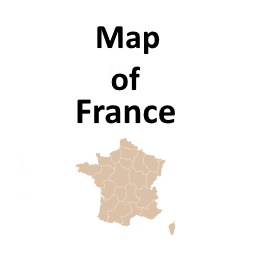
View plugin details ↗An interactive map of France with all 18 regions. Show region abbreviations and add a link to every region.
10+ active installations
- Version
- 1.3.0
- WordPress
- 5.5+
- PHP
- 7.0+
- Updated
- 1 Nov 2026
View plugin details ↗Provision Nigerian administrative and electoral geography into WordPress and use it in cascading selectors, APIs and forms.
★ 5.0/5 (1)0+ active installations
- Version
- 1.0.0
- WordPress
- 6.3+
- PHP
- 7.4+
- Updated
- 17 Sep 2026
View plugin details ↗