

Exclude Category from Blog
By WonderPlugin
Exclude categories from WordPress blog page, home page and search
★ 4.0/5 (7)1,000+ active installations
- Version
- 1.2
- WordPress
- 3.6+
- Updated
- 26 Oct 2026
WORDPRESS RESOURCES
Explore public plugin information from the official WordPress.org directory. Compare what a plugin does, its requirements and update history before adding it to your website.
Explore WordPress hosting →2,378 matching plugins reported by WordPress.org · Page 1 of 50
Source: WordPress.org
Data refreshed 18 Nov 2026 18:53 UTC
By WonderPlugin
Exclude categories from WordPress blog page, home page and search

By Marios Alexandrou
Ultimate Category Excluder allows you to quickly and easily exclude categories from your front page, archives, feeds, and search results.

By Zahlan
The Categories Images is a Wordpress plugin allow you to add image to category, tag or custom taxonomy.

By Fernando Briano
Simple plugin to display categories in any post or page with a shortcode.

By LiteSpeed Technologies
All-in-one unbeatable acceleration & PageSpeed improvement: caching, image/CSS/JS optimization...

By Miguel Useche
A simple Gutenberg block and JS widget (can be called from posts) for displaying categories in a list with some effects.

By ShapedPlugin LLC
Display product categories in responsive sliders or grids to showcase them effectively on your WooCommerce store and improve shoppers' navigation.
By WP-EXPERTS.IN
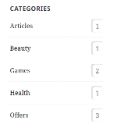
Display the list of categories for any taxonomies type (WooCommerce Product Category, Blog Category, Project Category...etc) in sidebar

By robfelty
Adds a widget which uses Javascript to dynamically expand or collapse the set of posts for each category.
Real-time SEO guidance, schema, and AI built in. Help search engines and AI systems understand your content. All AI tools included, no hidden fees.

By Daniel Floeter
Show posts related to the current category or other custom post types.

By ZephyrWest
Shows a list of recent posts from a category - with thumbnails, excerpt and a load more button. For posts, pages and the Site Editor.
CHOOSE WHAT YOUR WEBSITE NEEDS
Start with the task you need to solve. Compare features, WordPress and PHP requirements, update history and the author’s documentation. Test changes on a private copy and avoid adding several plugins for the same job.
This independent directory displays plugin information on WebFulHost and links to the official source. Packages are not mirrored or installed here. A plugin can include paid extensions or services with separate terms from its author.
