

This Social Share Plugin adds advanced social media sharing buttons to your WordPress sites, such as Facebook, WhatsApp, X, LinkedIn, & Pinterest.
★ 4.8/5 (194)20,000+ active installations
- Version
- 7.2.0
- WordPress
- 5.0+
- PHP
- 7.1+
- Updated
- 19 Oct 2026
WORDPRESS RESOURCES
Explore public plugin information from the official WordPress.org directory. Compare what a plugin does, its requirements and update history before adding it to your website.
Explore WordPress hosting →10,000 matching plugins reported by WordPress.org · Page 1 of 50
Source: WordPress.org
Data refreshed 20 Nov 2026 22:10 UTC
This Social Share Plugin adds advanced social media sharing buttons to your WordPress sites, such as Facebook, WhatsApp, X, LinkedIn, & Pinterest.

By Katsushi Kawamori
Add a fixed menu. The basic menu is at the bottom, but it can also be displayed on the top, left, and right.

By Simple Share
A simple plugin that enables you to add share buttons to all of your posts and/or pages.

By Wow-Company
Increase user engagement by incorporating sticky buttons that highlight relevant information on your website.

By ShareThis
Increase traffic and engagement with fast, responsive social share buttons for WordPress. No paid upgrades required.
Floating Buttons let you easily create sticky, fixed, and floating action buttons

By WPClever
WPC Variations Radio Buttons will replace dropdown select with radio buttons for the buyer easier in selecting the variations.

By maxfoundry
Maxbuttons is the best and easiest button plugin for WordPress. Within minutes you can create beautiful buttons, share buttons and social icons.

By Magnathorax
Lightweight plugin that displays two fixed call buttons on mobile devices to boost conversions.

By Jerry Rietveld
The click-to-call button for WordPress since 2013. Add a call button in under a minute. No code, mobile and desktop, with click tracking.
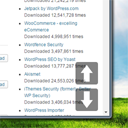
By Senff - a11n
Smooth Scroll Page Up/Down Buttons adds buttons that enables your site visitors to easily scroll up or down one screen/page at a time.

By PayPal
Accept payments with PayPal — create branded Buy Now buttons directly in the WordPress block editor.
CHOOSE WHAT YOUR WEBSITE NEEDS
Start with the task you need to solve. Compare features, WordPress and PHP requirements, update history and the author’s documentation. Test changes on a private copy and avoid adding several plugins for the same job.
This independent directory displays plugin information on WebFulHost and links to the official source. Packages are not mirrored or installed here. A plugin can include paid extensions or services with separate terms from its author.
