

WPS Hide Login
By Remy Perona
Change wp-login.php to anything you want.
★ 4.8/5 (2,114)2,000,000+ active installations
- Version
- 1.9.20
- WordPress
- 4.1+
- PHP
- 7.0+
- Updated
- 12 Nov 2026
WORDPRESS RESOURCES
Explore public plugin information from the official WordPress.org directory. Compare what a plugin does, its requirements and update history before adding it to your website.
Explore WordPress hosting →100 matching plugins reported by WordPress.org · Page 1 of 9
Source: WordPress.org
Data refreshed 21 Nov 2026 00:08 UTC
By Remy Perona
Change wp-login.php to anything you want.

By CleanTalk Inc
Protect WordPress from malware, hackers, brute-force attacks & suspicious traffic. Includes firewall, login security, 2FA & vulnerability checks.

By IniLerm
A complete WordPress security firewall: blocks IPs, bots, countries & ASN. Includes an intelligent WAF, Threat Scoring, Geo-Challenge, and 2FA.

By Marcel Pol
Feel safe knowing that your website is safe from spam. La Sentinelle will guard your WordPress website against spam in a simple and effective way.

By Lovro Hrust
Advanced block based pop-up solution.

By Dynamic.ooo
Show or hide Elementor widgets, containers, columns, and pages based on user role, date, device, and many other powerful conditions.

By Yevhen Leonidov
Complete security platform for everyday: block bots, brute-force, viruses, spam, fake crawlers. WAF, 2FA, no-malware, proactive defense.

By gm_alex
With the "User Access Manager"-plugin you can manage the access to your posts, pages and files.
A multi-featured plugin to embed YouTube in WordPress. Embed a video, YouTube channel gallery, playlist, or YouTube livestream. Defer JavaScript too!

Web Accessibility (formally known as Ally) is a free, powerful, and user-friendly plugin that helps WordPress creators build more accessible websites …
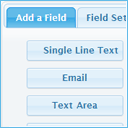
By codepeople
Create responsive contact and booking forms with a visual drag-and-drop form builder, inline validation, built-in CAPTCHA, and email delivery.

By Jonas Hjalmarsson
Put your site behind an Under Construction page. Coming soon and maintenance mode, with a secret-word URL or IP whitelist so you can keep working.
CHOOSE WHAT YOUR WEBSITE NEEDS
Start with the task you need to solve. Compare features, WordPress and PHP requirements, update history and the author’s documentation. Test changes on a private copy and avoid adding several plugins for the same job.
This independent directory displays plugin information on WebFulHost and links to the official source. Packages are not mirrored or installed here. A plugin can include paid extensions or services with separate terms from its author.
