

LiteSpeed Cache
By LiteSpeed Technologies
All-in-one unbeatable acceleration & PageSpeed improvement: caching, image/CSS/JS optimization...
★ 4.8/5 (2,784)7,000,000+ active installations
- Version
- 7.9.3
- WordPress
- 6.0+
- PHP
- 7.4+
- Updated
- 3 Nov 2026
WORDPRESS RESOURCES
Explore public plugin information from the official WordPress.org directory. Compare what a plugin does, its requirements and update history before adding it to your website.
Explore WordPress hosting →789 matching plugins reported by WordPress.org · Page 1 of 50
Source: WordPress.org
Data refreshed 20 Nov 2026 12:58 UTC
By LiteSpeed Technologies
All-in-one unbeatable acceleration & PageSpeed improvement: caching, image/CSS/JS optimization...

By fifu.app
Use external image URLs for WordPress featured images and WooCommerce product images. No uploads required. FIFU PRO adds videos and galleries.

By AddonsPress
Easily import demo data including posts, pages, media, widgets, customizer settings, and Gutenberg Blocks.

By David Anderson / Team Updraft
Get caching and more with this powerful cache plugin. Cache, optimize images, clean your database and minify for maximum performance.
Compress images & PDFs automatically, convert to WebP & AVIF, and generate SEO-friendly filenames with AI. Bulk optimization, smart crop & resize.
Create responsive photo, image and masonry galleries in WordPress with FooGallery, plus carousel, lightbox, albums, SEO and video gallery support.

By Atakan Au
Add external images to the media library without importing, i.e. uploading them to your WordPress site.

By Burhan Nasir
Automatically import external images into your Media Library on save. Review recent imports and restore original URLs from import history.
Import and export WordPress posts, pages, users and media from any CSV or XML file, URL, FTP or Google Sheets — with visual field mapping.

By wpazleen
Export and import WordPress posts, pages, users, widgets, menus, themes & settings - real media files, no broken links or missing thumbnails.

Import external images into your WordPress Media Library from any URL, CSV, XML export, or Google Drive link. Bulk import, site migration ready.
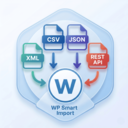
By Xylus Themes
Import any XML file into WordPress in minutes — no coding needed, just drag, drop, map your fields & go live instantly!
CHOOSE WHAT YOUR WEBSITE NEEDS
Start with the task you need to solve. Compare features, WordPress and PHP requirements, update history and the author’s documentation. Test changes on a private copy and avoid adding several plugins for the same job.
This independent directory displays plugin information on WebFulHost and links to the official source. Packages are not mirrored or installed here. A plugin can include paid extensions or services with separate terms from its author.


