

jQuery Updater
By Ramoonus
This plugin updates jQuery to the latest stable version on your website.
★ 4.5/5 (64)20,000+ active installations
- Version
- 4.0.0
- WordPress
- 6.0+
- PHP
- 5.6+
- Updated
- 27 Jul 2026
WORDPRESS RESOURCES
Explore public plugin information from the official WordPress.org directory. Compare what a plugin does, its requirements and update history before adding it to your website.
Explore WordPress hosting →16 matching plugins reported by WordPress.org · Page 1 of 2
Source: WordPress.org
Data refreshed 18 Nov 2026 12:01 UTC
By Ramoonus
This plugin updates jQuery to the latest stable version on your website.

Advanced Elementor addons plugin with widgets, WooCommerce builder, mega menu, popup builder and Elementor template kits for faster website design.

By smal
Enable jQuery effects with On/Off switch from admin panel.

Elementor addons: Elementor widgets, Elementor templates, 100+ widgets, 4 000+ templates, Mega Menu, Popup Builder, WooCommerce Builder, AI tools.

By Joe Boydston
Deploy self-contained HTML/CSS/JS apps to WordPress via REST API. One call from any AI agent or CI pipeline — plugin handles the rest.
By conlabltd
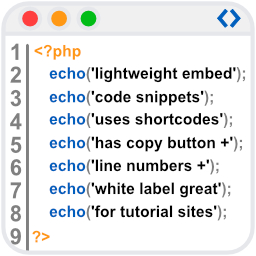
WpBetterCodeHighlighting allows you to show code snippets in over 290+ languages. Its completly free and perfect for blog/tutorial sites.

By Miguel Useche
A JS widget (can be used in posts) for displaying an archive list with some effects.

By Serhii Pasyuk
Gmedia Gallery - photo gallery with comments, show EXIF & Metadata, gallery with map geolocation (GPS), private galleries.

By Scott Reilly
Configure SMTP mailing in WordPress, including support for sending email via SSL/TLS (such as Gmail).

By imemine
Simple BuddyPress Notifications allows sites using BuddyPress to have a notification icon on the site. It also plays a "ting" sound when a n …
PHP compatibility scan, per-plugin update freeze, and alerts when a plugin changes owner, goes abandoned, or is closed for security.

By Automattic
IntenseDebate comments enhance and encourage conversation on your blog. Build your reader community, increase your comments, & boost pageviews.
CHOOSE WHAT YOUR WEBSITE NEEDS
Start with the task you need to solve. Compare features, WordPress and PHP requirements, update history and the author’s documentation. Test changes on a private copy and avoid adding several plugins for the same job.
This independent directory displays plugin information on WebFulHost and links to the official source. Packages are not mirrored or installed here. A plugin can include paid extensions or services with separate terms from its author.
