

Build a waiting list for your products and notify customers by email based on product availability.
★ 4.6/5 (113)4,000+ active installations
- Version
- 2.9.3
- WordPress
- 3.0.1+
- Updated
- 2 Nov 2026
WORDPRESS RESOURCES
Explore public plugin information from the official WordPress.org directory. Compare what a plugin does, its requirements and update history before adding it to your website.
Explore WordPress hosting →20 matching plugins reported by WordPress.org · Page 1 of 2
Source: WordPress.org
Data refreshed 20 Nov 2026 01:00 UTC
Build a waiting list for your products and notify customers by email based on product availability.

By Rolf Allard van Hagen
Take control of your WordPress core XML Sitemap and add a Google News Sitemap.
MultiVendorX: WordPress multivendor plugin to build your dream marketplace. Top-rated multi-vendor plugin to launch your WooCommerce marketplace.

By YayCommerce
Customize WooCommerce email templates with an advanced drag-and-drop email builder. Works great with 80+ WooCommerce Email Customizer Addons.

By Moreconvert Team
Free: WC Wishlist, Email automation, Elementor Widgets. Premium: Back-in-Stock Notifier, Save for Later, Multi-lists, Reports, Email Marketing.

By hcaptcha
The strongest CAPTCHA. Switch from reCAPTCHA and Turnstile for free. Works with 60+ integrations: Contact Form 7, Elementor, WooCommerce, Divi, etc.

Team plugin to showcase team members, sports rosters, or creative portfolios with grid, list, Slider, table layout. Supports Corporate and Sports Leag …

By Phil
This plugin sends real-time Telegram alerts when someone logs into the WordPress admin panel. Includes IP, location, user agent and more.

By The Hack Repair Guy
Disable plugins without deleting them. Archive in one click, restore any time, and keep the archive hidden and blocked from the web.

By ProPluginsLab
Recover lost WooCommerce sales with real time cart capture and automated recovery emails that start working the moment you activate.

By BAKKBONE Australia
Provides standardized features for floristry websites – built by florists, for florists.
By ProPluginsLab
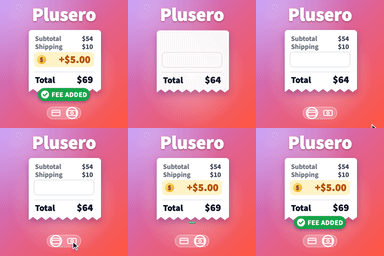
Add conditional extra fees to WooCommerce. Charge per product, per cart, at checkout, by shipping method or by payment gateway.
CHOOSE WHAT YOUR WEBSITE NEEDS
Start with the task you need to solve. Compare features, WordPress and PHP requirements, update history and the author’s documentation. Test changes on a private copy and avoid adding several plugins for the same job.
This independent directory displays plugin information on WebFulHost and links to the official source. Packages are not mirrored or installed here. A plugin can include paid extensions or services with separate terms from its author.
