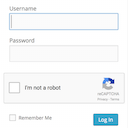
Firewall, Malware Scanner, Two Factor Auth, and Comprehensive Security Features, powered by our 24-hour team. Make security a priority with Wordfence.
★ 4.7/5 (5,052)5,000,000+ active installations
- Version
- 9.1.1
- WordPress
- 4.7+
- PHP
- 7.0+
- Updated
- 10 Nov 2026
View plugin details ↗Captcha protection against spam comments & brute force login attacks using Google reCAPTCHA.
★ 4.8/5 (431)200,000+ active installations
- Version
- 5.42
- WordPress
- 4.9+
- PHP
- 5.2+
- Updated
- 6 Oct 2026
View plugin details ↗Adds a Google No Captcha ReCaptcha checkbox to your Wordpress and Woocommerce login, forgot password, and user registration pages.
★ 4.5/5 (63)50,000+ active installations
- Version
- 1.8.1
- WordPress
- 4.6+
- PHP
- 7.4+
- Updated
- 26 May 2026
View plugin details ↗Use reCaptcha v2 by Google to combat spam at your login and registration forms, WooCommerce account forms, contact forms, and more!
★ 4.3/5 (133)70,000+ active installations
- Version
- 1.3.4
- WordPress
- 4.5+
- PHP
- 7.1+
- Updated
- 26 Oct 2026
View plugin details ↗
By Elliot Sowersby / RelyWP
Add Google reCAPTCHA to your WooCommerce Checkout, Login, and Registration Forms. 100% free!
★ 4.6/5 (76)40,000+ active installations
- Version
- 1.5.0
- WordPress
- 4.7+
- Updated
- 9 Nov 2026
View plugin details ↗Membership & community plugin with user profiles, registration & login, member directories, content restriction, user roles and much more.
★ 4.4/5 (1,445)200,000+ active installations
- Version
- 2.14.2
- WordPress
- 6.2+
- PHP
- 7.0+
- Updated
- 2 Nov 2026
View plugin details ↗Secure and customize your WordPress login page with a custom login URL, 2FA, CAPTCHA, and more.
★ 3.6/5 (35)60,000+ active installations
- Version
- 2.5.2
- WordPress
- 6.2+
- PHP
- 7.4+
- Updated
- 11 Nov 2026
View plugin details ↗Secure WordPress login, registration, and comment form with Google reCAPTCHA or Cloudflare Turnstile. Prevent Brute-force attacks and more.
★ 4.9/5 (20)10,000+ active installations
- Version
- 1.9.5
- WordPress
- 5.3+
- PHP
- 7.0+
- Updated
- 8 Oct 2026
View plugin details ↗Enable Google reCaptcha for WooCommerce Checkout, Login, Registration, and Reset Password Forms to protect your store against spam.
★ 5.0/5 (3)600+ active installations
- Version
- 1.0.8
- WordPress
- 4.8+
- PHP
- 7.4+
- Updated
- 6 Jun 2026
View plugin details ↗Loginizer is a WordPress security plugin which helps you fight against bruteforce attacks.
★ 4.8/5 (1,034)1,000,000+ active installations
- Version
- 2.1.3
- WordPress
- 3.0+
- PHP
- 5.5+
- Updated
- 29 Oct 2026
View plugin details ↗Protect WordPress website forms from spam entries with Google reCAPTCHA.
★ 3.9/5 (391)100,000+ active installations
- Version
- 2.1
- WordPress
- 6.5+
- Updated
- 12 Nov 2026
View plugin details ↗Invisible spam protection for every form, login and checkout. No puzzles, no checkboxes, no lost visitors — a CAPTCHA your users never see.
★ 4.8/5 (51)5,000+ active installations
- Version
- 6.4.0
- WordPress
- 4.8+
- PHP
- 7.1+
- Updated
- 17 Nov 2026
View plugin details ↗