

Add full database functionality to your website. Generative AI copilot turns your data into powerful database apps. Display advanced dashboards, data …
★ 5.0/5 (2)90+ active installations
- Version
- 1.7.0
- WordPress
- 5.0+
- Updated
- 30 Oct 2025
WORDPRESS RESOURCES
Explore public plugin information from the official WordPress.org directory. Compare what a plugin does, its requirements and update history before adding it to your website.
Explore WordPress hosting →14 matching plugins reported by WordPress.org · Page 1 of 2
Source: WordPress.org
Data refreshed 19 Nov 2026 03:50 UTC
Add full database functionality to your website. Generative AI copilot turns your data into powerful database apps. Display advanced dashboards, data …

By Zapier
Zapier saves you time on tedious tasks by moving info between WordPress and your other favorite apps, so you can focus on your most important work.

By Arun Chaitanya Jami
MONGODB SYNC is a plugin that help you sync data from WordPress to Mongo Db

By Kingsley Ibietela Felix
Standalone Voyage AI text-embedding provider for the WordPress AI Client.
By conlabltd
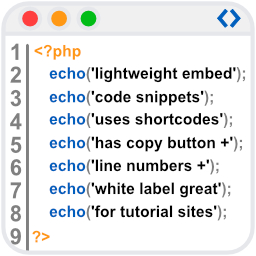
WpBetterCodeHighlighting allows you to show code snippets in over 290+ languages. Its completly free and perfect for blog/tutorial sites.

By Terry L.
Cache Master is an extremely lightweight, high-performance cache plugin that speeds up your WordPress sites on the fly. The core of Cache Master is dr …

By Perfbase
WordPress integration for the Perfbase APM platform.

By Travis
An easy to use lightweight SVG icons plugin with over 1500+ brand icons. Use these icons in your menus, widgets, posts, or pages.

By Web Guy
Display icons for your social media profile links.

By Yuli
Privacy compliance for WordPress websites in one click by the PrivacyBunker.io team.

By mudssar
Amazing Neo is one of the best icon font by Amazing Team. This plugin allows you to insert brands/social icons in any widget area.

By 2wstechnologies
Abandoned-cart recovery, order notifications and SMS marketing campaigns for WooCommerce — sent server-side, no phone or SIM required.
CHOOSE WHAT YOUR WEBSITE NEEDS
Start with the task you need to solve. Compare features, WordPress and PHP requirements, update history and the author’s documentation. Test changes on a private copy and avoid adding several plugins for the same job.
This independent directory displays plugin information on WebFulHost and links to the official source. Packages are not mirrored or installed here. A plugin can include paid extensions or services with separate terms from its author.