

Google Maps with unlimited markers, custom icons, marker categories, clustering and map themes. Gutenberg block, Elementor widget, no coding.
★ 4.6/5 (251)20,000+ active installations
- Version
- 1.17.0
- WordPress
- 5.9+
- PHP
- 7.3+
- Updated
- 17 Nov 2026
WORDPRESS RESOURCES
Explore public plugin information from the official WordPress.org directory. Compare what a plugin does, its requirements and update history before adding it to your website.
Explore WordPress hosting →733 matching plugins reported by WordPress.org · Page 1 of 50
Source: WordPress.org
Data refreshed 19 Nov 2026 16:19 UTC
Google Maps with unlimited markers, custom icons, marker categories, clustering and map themes. Gutenberg block, Elementor widget, no coding.
The easiest to use WordPress map plugin! Create a custom map, map block, store locator or map widget with high quality markers.

By LiteSpeed Technologies
All-in-one unbeatable acceleration & PageSpeed improvement: caching, image/CSS/JS optimization...
90+ Elementor widgets & addons, 600+ templates, Mega Menu, WooCommerce, Display Conditions. The only Elementor addon AI agents can fully build with.

By KrishaWeb
Multi Location Marker helps you add multiple map locations to a single map and display them on the frontend using a shortcode.

By 100plugins
Create custom interactive maps with free Leaflet-based styles, no Google Maps API key, frontend marker submissions, search and filters.

No API key is required to launch Google Maps & OpenStreetMap.

By Yuri Baranov
The plugin allows you to add Yandex Maps (Яндекс Карты) to pages of your site using a WordPress visual editor.
By hupe13
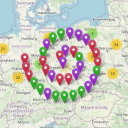
Extends the WordPress Plugin Leaflet Map with Leaflet Plugins and other functions.

By Giorgos Sarigiannidis
A map block for Gutenberg using OpenStreetMap and Leaflet that needs no API keys and works out of the box. Or should we say, ...Out of the Block?

By bozdoz
Interactive maps and markers on your posts and pages with simple shortcodes.

By WPGMaps
The easiest-to-use Google Maps plugin is now available as a standalone map block! Create custom Google maps or OpenLayers maps with high-quality marke …
CHOOSE WHAT YOUR WEBSITE NEEDS
Start with the task you need to solve. Compare features, WordPress and PHP requirements, update history and the author’s documentation. Test changes on a private copy and avoid adding several plugins for the same job.
This independent directory displays plugin information on WebFulHost and links to the official source. Packages are not mirrored or installed here. A plugin can include paid extensions or services with separate terms from its author.

