

Make Tables Responsive
By Nikolay Nikolov
Automatically makes the HTML tables in your posts and pages responsive (mobile-friendly).
★ 5.0/5 (34)6,000+ active installations
- Version
- 1.8.0
- WordPress
- 3.5+
- PHP
- 5.3.6+
- Updated
- 3 Sep 2026
WORDPRESS RESOURCES
Explore public plugin information from the official WordPress.org directory. Compare what a plugin does, its requirements and update history before adding it to your website.
Explore WordPress hosting →279 matching plugins reported by WordPress.org · Page 1 of 24
Source: WordPress.org
Data refreshed 18 Nov 2026 15:40 UTC
By Nikolay Nikolov
Automatically makes the HTML tables in your posts and pages responsive (mobile-friendly).

By Nick Hamze
A growing catalog of delightful apps for OpenStation.

By stuartobrien
Simply Show Hooks helps theme and plugin developers to quickly see where all the action and filter hooks are on any WordPress page.

By WPClever
WPC Product Timer helps you add many actions for the product based on the conditionals of the time.

By VillaTheme
WooCommerce Size Chart lets customize and design size charts for specific products or categories, enhancing customer convenience and boosting sales.

WooCommerce Google Sheet Connector automatically syncs orders, products, customers, coupons, and variations to Google Sheets.

By Imtiaz Rayhan
Table Block For the Block Editor. Craft Beautiful Tables With Ease.

By Canyon Webworks
Watermark and password protect PDFs with WooCommerce, Easy Digital Downloads, and Download Monitor Shop. No Ghostscript required, PHP 8+ compatible.

By techygeekshome
Publishes draft posts on a configurable interval per post type, with optional publishing-window/weekend restrictions and email alerts.

By David Artiss
Clean expired transients from your options table. The original and best!

By WUPO Plugins
Organize WooCommerce product attributes into groups, shown as separate sections on your product pages. Works with your existing products.
By Jory Hogeveen
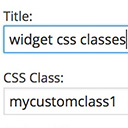
Add custom classes and ids plus first, last, even, odd, and numbered classes to your widgets.
CHOOSE WHAT YOUR WEBSITE NEEDS
Start with the task you need to solve. Compare features, WordPress and PHP requirements, update history and the author’s documentation. Test changes on a private copy and avoid adding several plugins for the same job.
This independent directory displays plugin information on WebFulHost and links to the official source. Packages are not mirrored or installed here. A plugin can include paid extensions or services with separate terms from its author.