
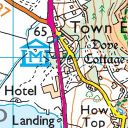
OS DataHub Maps
By skirridsystems
A plugin to display UK Ordnance Survey maps with markers and tracks.
★ 5.0/5 (16)200+ active installations
- Version
- 1.8.4
- WordPress
- 4.5+
- PHP
- 5.6.0+
- Updated
- 2 Feb 2026
WORDPRESS RESOURCES
Explore public plugin information from the official WordPress.org directory. Compare what a plugin does, its requirements and update history before adding it to your website.
Explore WordPress hosting →5 matching plugins reported by WordPress.org · Page 1 of 1
Source: WordPress.org
Data refreshed 19 Nov 2026 00:54 UTC
By skirridsystems
A plugin to display UK Ordnance Survey maps with markers and tracks.
By techtimo
Live GPS tracking for WordPress — display positions from SPOT, Garmin inReach, OsmAnd, Teltonika, and more on interactive maps.
UK postcode lookup and address autocomplete on Royal Mail PAF. WooCommerce, Gravity, WPForms, Elementor, CF7 — most wire themselves.

Contact, enquiry and multi-step forms built for accessibility, with GOV.UK Design System components, a check-your-answers page and spam checks.

By Malcolm
The MapView for Bing Maps plugin adds an interactive map(s) to your Wordpress Page or Post, using the Bing Maps AJAX Control.
CHOOSE WHAT YOUR WEBSITE NEEDS
Start with the task you need to solve. Compare features, WordPress and PHP requirements, update history and the author’s documentation. Test changes on a private copy and avoid adding several plugins for the same job.
This independent directory displays plugin information on WebFulHost and links to the official source. Packages are not mirrored or installed here. A plugin can include paid extensions or services with separate terms from its author.
