Create, print & automatically email PDF or XML Invoices & PDF Packing Slips for WooCommerce orders.
★ 5.0/5 (1,866)300,000+ active installations
- Version
- 6.0.0
- WordPress
- 5.9+
- PHP
- 8.1+
- Updated
- 16 Nov 2026
View plugin details ↗Embed PDF files in WordPress posts and pages with a responsive PDF viewer block, live Block Editor preview, and no third-party services.
★ 4.7/5 (532)300,000+ active installations
- Version
- 5.0.2
- WordPress
- 6.6+
- PHP
- 7.4+
- Updated
- 14 Aug 2026
View plugin details ↗Two-factor authentication, passkeys, social login, magic login, limit login attempts, file change scanning and audit logs for WordPress.
★ 4.2/5 (35)10,000+ active installations
- Version
- 3.1.1
- WordPress
- 5.0+
- PHP
- 7.3+
- Updated
- 3 Nov 2026
View plugin details ↗Embed PDF files in WordPress with a responsive PDF viewer, flipbook, shortcode and Gutenberg block, plus print, download and view analytics.
★ 4.5/5 (149)20,000+ active installations
- Version
- 2.6.5
- WordPress
- 5.0.3+
- PHP
- 7.1+
- Updated
- 16 Nov 2026
View plugin details ↗EmbedPress lets you embed videos, pages, social feeds, embed PDF 3D flipbooks & other content on WordPress without coding & enhance storytelling.
★ 4.8/5 (308)100,000+ active installations
- Version
- 4.7.3
- WordPress
- 6.2+
- PHP
- 5.6+
- Updated
- 16 Nov 2026
View plugin details ↗Generate PDF from Your Form Submissions and Download/Email Them
★ 5.0/5 (6)20,000+ active installations
- Version
- 2.2.0
- WordPress
- 5.0+
- PHP
- 7.4+
- Updated
- 18 Sep 2026
View plugin details ↗The #1 user-rated activity log plugin for event logging, activity monitoring and change tracking.
★ 4.7/5 (492)300,000+ active installations
- Version
- 5.7.0
- WordPress
- 5.5+
- PHP
- 7.4+
- Updated
- 5 Nov 2026
View plugin details ↗DearFlip creates a PDF Flipbook, 3D Flipbook, PDF viewer, PDF embed for WordPress sites. Create impressive and realistic 3D flipbooks with PDFs.
★ 4.9/5 (195)200,000+ active installations
- Version
- 2.4.37
- WordPress
- 4.6+
- PHP
- 5.3+
- Updated
- 9 Sep 2026
View plugin details ↗Generate PDF files and print WordPress posts/pages. Customize document header/footer styles and appearance.
★ 3.9/5 (102)9,000+ active installations
- Version
- 2.4.7
- WordPress
- 6.2+
- Updated
- 26 Apr 2026
View plugin details ↗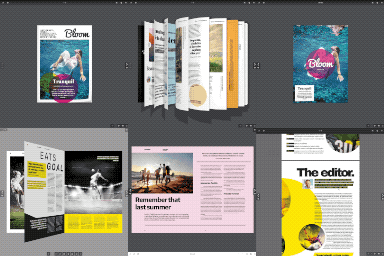
By creativeinteractivemedia
Turn a PDF or images into a realistic 3D flipbook – no watermark, no page limits. Embed with a block or shortcode: a page-flip PDF viewer.
★ 4.5/5 (11)10,000+ active installations
- Version
- 5.9
- WordPress
- 5.0+
- Updated
- 17 Nov 2026
View plugin details ↗A simple and 100% free Gutenberg Block to display PDF Viewers / Readers on your website.
★ 4.8/5 (9)10,000+ active installations
- Version
- 1.1
- WordPress
- 5.0+
- PHP
- 5.6+
- Updated
- 28 Aug 2026
View plugin details ↗Best all-in-one WordPress security plugin, uses HTTP & HSTS response headers to avoid vulnerabilities: XSS, injection, clickjacking. Force HTTP/HTTPS.
★ 4.9/5 (79)90,000+ active installations
- Version
- 5.3.6
- WordPress
- 4.7+
- PHP
- 7.4+
- Updated
- 30 Oct 2026
View plugin details ↗










