Delivery & Pickup Date Time for WooCommerce
By CodeRockz
Let customers choose delivery or pickup date and time directly on the WooCommerce checkout page.
★ 4.9/5 (282)5,000+ active installations
- Version
- 1.3.92
- WordPress
- 5.3.0+
- Updated
- 18 Nov 2026
WORDPRESS RESOURCES
Explore public plugin information from the official WordPress.org directory. Compare what a plugin does, its requirements and update history before adding it to your website.
Explore WordPress hosting →427 matching plugins reported by WordPress.org · Page 1 of 36
Source: WordPress.org
Data refreshed 18 Nov 2026 14:20 UTC
By CodeRockz
Let customers choose delivery or pickup date and time directly on the WooCommerce checkout page.

By PI Web Solution
WooCommerce delivery date | delivery time | pickup date | pickup time | pickup location

By tychesoftwares
Let customers choose delivery dates & times on checkout. Simplify delivery management by blocking holidays & setting max deliveries per day.

By Marian Kadanka
Have your customers pay with cash on pickup

By ThemeHigh
Order Delivery Date And Time plugin lets customers select delivery/pickup dates and times at checkout page.

By Uriahs Victor
Empower customers to select their preferred delivery or pickup time using a convenient datetime picker integrated into the WooCommerce checkout page.

By Automattic
Everything you need to launch an online store in days and keep it growing for years. From your first sale to millions in revenue, Woo is with you.
Manage in-store pickups, notify customers & streamline every order from one place. Click & collect for WooCommerce with ready-for-pickup emails.
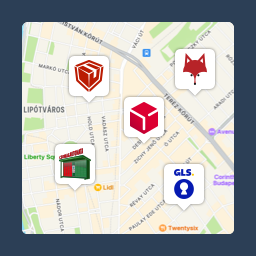
Pickup point map and shipping labels for WooCommerce, for home delivery too. MPL, Foxpost, GLS, DPD, Express One, Packeta and more.

By Dotstore
Simplify your WooCommerce shipping with the Local Pickup plugin. Define pickup locations easily, offering convenient options for your customers.

By mdalabar
Short Description: WooCommerce delivery date, pickup date and time slot plugin for local delivery and store pickup.

By brightvesseldev
During the checkout process, customers can effortlessly choose a delivery date and time for their orders.
CHOOSE WHAT YOUR WEBSITE NEEDS
Start with the task you need to solve. Compare features, WordPress and PHP requirements, update history and the author’s documentation. Test changes on a private copy and avoid adding several plugins for the same job.
This independent directory displays plugin information on WebFulHost and links to the official source. Packages are not mirrored or installed here. A plugin can include paid extensions or services with separate terms from its author.