

Bing Custom Search for WordPress
By Steve Bruner
Improve the search functionality on your site by using Bing Custom Search for WordPress.
★ 5.0/5 (3)30+ active installations
- Version
- 2.6.3
- WordPress
- 4.6+
- Updated
- 13 Jul 2023
WORDPRESS RESOURCES
Explore public plugin information from the official WordPress.org directory. Compare what a plugin does, its requirements and update history before adding it to your website.
Explore WordPress hosting →8 matching plugins reported by WordPress.org · Page 1 of 1
Source: WordPress.org
Data refreshed 18 Nov 2026 19:41 UTC
By Steve Bruner
Improve the search functionality on your site by using Bing Custom Search for WordPress.
By clicface
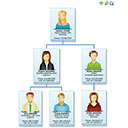
Create Org Charts easily in WordPress. A flexible and lightweight WordPress plugin, working with Clicface Trombi.
By Rezwan Shiblu
rz Job Application form

By michaellautman
Quickly and easily create a powerful directory on your site. Build local directories, address books, Yellow Pages style business listings and more!

By michaellautman
Creates a widget that outputs contact information for individuals or organizations with Schema.org compliant markup.

By Samer Bechara
One click Ultimate LinkedIn Integration/Registration, Buddy Press Integration, profile syncing, and more...

By Amos Lee(一刀)
Display diffrent banner images in page and taxonomy terms,为每个页面或分类显示一个banner图片。

By michaellautman
This plugin creates a custom post type for highlighting legal cases.
CHOOSE WHAT YOUR WEBSITE NEEDS
Start with the task you need to solve. Compare features, WordPress and PHP requirements, update history and the author’s documentation. Test changes on a private copy and avoid adding several plugins for the same job.
This independent directory displays plugin information on WebFulHost and links to the official source. Packages are not mirrored or installed here. A plugin can include paid extensions or services with separate terms from its author.