

Pastacode
By Willy Bahuaud
Use Pastacode to add code into your posts with the awesome PrismJs coloration library. So, past'a code!
★ 4.9/5 (14)400+ active installations
- Version
- 3.0.1
- WordPress
- 4.0+
- PHP
- 7.0+
- Updated
- 12 Mar 2026
WORDPRESS RESOURCES
Explore public plugin information from the official WordPress.org directory. Compare what a plugin does, its requirements and update history before adding it to your website.
Explore WordPress hosting →18 matching plugins reported by WordPress.org · Page 1 of 2
Source: WordPress.org
Data refreshed 19 Nov 2026 20:23 UTC
By Willy Bahuaud
Use Pastacode to add code into your posts with the awesome PrismJs coloration library. So, past'a code!

By Rareview®
A lightweight issue tracker built entirely inside WordPress, designed for developers and agencies managing client projects.
By conlabltd
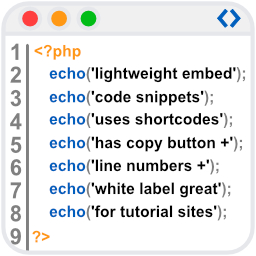
WpBetterCodeHighlighting allows you to show code snippets in over 290+ languages. Its completly free and perfect for blog/tutorial sites.

By BlogSafe.org
Keep WordPress debugging enabled without leaving a persistent public debug.log. Capture errors in your dashboard and receive email alerts.

By nintechnet
A lightweight, fast and powerful virus scanner for WordPress.
Search Pixabay and Unsplash images, set automatic featured images, and generate AI images for WordPress posts.

By Pierre-Henri Lavigne
Disable Wordpress's native Gutenberg or TinyMCE editor in favor of a Markdown editor.

By mohamad wael
A syntax highlighter using PrismJs.

By BlockMeister
Visually create custom block patterns. No coding skills needed! Categorize them easily and use keywords for easy discoverability.

By neoslab
Reduce your page load by minifying your HTML source along with all the CSS and JS code present in your markup.

By Nowshad Jawad
A WordPress admin tool to quickly test REST API routes, path params, headers, body payloads, and copy requests as cURL.

By Agus Prawoto Hadi
Bringing Prism into WordPress easily. User-friendly GUI, support both classic editor and block editor. Support tab & back-tab in the code editor.
CHOOSE WHAT YOUR WEBSITE NEEDS
Start with the task you need to solve. Compare features, WordPress and PHP requirements, update history and the author’s documentation. Test changes on a private copy and avoid adding several plugins for the same job.
This independent directory displays plugin information on WebFulHost and links to the official source. Packages are not mirrored or installed here. A plugin can include paid extensions or services with separate terms from its author.
