

HUSKY - WooCommerce Products Filter (former WOOF) – filter by categories, attributes, price and meta fields, with a built-in MCP server
★ 4.6/5 (337)80,000+ active installations
- Version
- 1.4.8
- WordPress
- 6.0+
- PHP
- 7.4+
- Updated
- 13 Nov 2026
WORDPRESS RESOURCES
Explore public plugin information from the official WordPress.org directory. Compare what a plugin does, its requirements and update history before adding it to your website.
Explore WordPress hosting →10,000 matching plugins reported by WordPress.org · Page 1 of 50
Source: WordPress.org
Data refreshed 17 Nov 2026 22:03 UTC
HUSKY - WooCommerce Products Filter (former WOOF) – filter by categories, attributes, price and meta fields, with a built-in MCP server

By WCBoost
Enhance your WooCommerce store with WCBoost - Products Compare, enabling customers to easily compare products and make informed decisions.
Most popular WooCommerce product feed plugin supporting Google shopping feed, meta/facebook feed, bing product feed & more.

By Elementor
The Elementor Website Builder has it all: drag and drop page builder, Atomic Editor, pixel perfect design, global and reusable style systems, mobile r …

By Automattic
Everything you need to launch an online store in days and keep it growing for years. From your first sale to millions in revenue, Woo is with you.
Site Kit is a one-stop solution for WordPress users to use everything Google has to offer to make them successful on the web.

This WooCommerce related products plugin, lets you create upsells, and cross-sells with smart WooCommerce product recommendations widget.

By WPClever
WPC Composite Products provide a powerful kit-building solution for WooCommerce store.

By Aslam Doctor
Boost WooCommerce sales with the Rearrange Products for WooCommerce plugin. Easily reorder products with a simple drag-and-drop tool!
By Jeroen Sormani
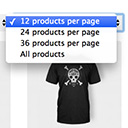
Products Per Page for WooCommerce is a easy-to-setup plugin that integrates a 'products per page' dropdown on your WooCommerce pages.

By VillaTheme
A helpful tool that allows you to bulk edit available attributes of products such as ID, Title, Content,...

By ThemeDyno
Easily delete all WooCommerce products permanently or move them to the trash in just a few clicks.
CHOOSE WHAT YOUR WEBSITE NEEDS
Start with the task you need to solve. Compare features, WordPress and PHP requirements, update history and the author’s documentation. Test changes on a private copy and avoid adding several plugins for the same job.
This independent directory displays plugin information on WebFulHost and links to the official source. Packages are not mirrored or installed here. A plugin can include paid extensions or services with separate terms from its author.

