
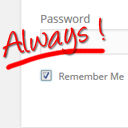
Always Remember Me
By Ozh
Always checked 'Remember Me' checkbox and longer auth cookie expiration. Your blog will remember you.
★ 5.0/5 (2)400+ active installations
- Version
- 1.0
- WordPress
- 3.0+
- PHP
- 5.6+
- Updated
- 8 May 2026
WORDPRESS RESOURCES
Explore public plugin information from the official WordPress.org directory. Compare what a plugin does, its requirements and update history before adding it to your website.
Explore WordPress hosting →536 matching plugins reported by WordPress.org · Page 1 of 45
Source: WordPress.org
Data refreshed 18 Nov 2026 18:26 UTC
By Ozh
Always checked 'Remember Me' checkbox and longer auth cookie expiration. Your blog will remember you.

By Creame
The most installed WordPress plugin for WhatsApp: a customizable floating button that turns your visitors into chats, leads and sales.

By lukeseager
Keep users logged in forever, limit the number of active logins allowed at one time, and alert users of new devices logging into their account.

By Phil
A plugin to check the age of a visitor before view site or specified content

By Noor Alam
Create a WordPress login form and add it to your post, page or sidebar

By Teydea Studio
Customize the WordPress login screen with your own colors, logo, backgrounds, and form styles.

By Scott Reilly
Have "Remember Me" checked by default on the login page and configure how long a login is remembered. Or disable the feature altogether.

By colorlibplugins
Customize your WordPress login page with live preview. Change logo, background, colors, and form styling without coding.

By Weston Ruter
Enables back/forward cache (bfcache) for instant history navigations even when “nocache” headers are sent, such as when a user is logged in.
Easily add code snippets in WordPress. Insert header & footer scripts, add PHP code snippets with conditional logic, insert ads pixel code, and more.

By storeapps
Give developers or support staff temporary admin access to your WordPress site — no username, no password, and it expires automatically.

By mra13 / Team Tips and Tricks HQ
Easily accept payments on your WordPress site via Stripe payment gateway.
CHOOSE WHAT YOUR WEBSITE NEEDS
Start with the task you need to solve. Compare features, WordPress and PHP requirements, update history and the author’s documentation. Test changes on a private copy and avoid adding several plugins for the same job.
This independent directory displays plugin information on WebFulHost and links to the official source. Packages are not mirrored or installed here. A plugin can include paid extensions or services with separate terms from its author.
