RGAA 4.1 accessibility audit for WordPress: scan a page from the admin and get a clear report grouped by RGAA topic.
0+ active installations
- Version
- 1.0.1
- WordPress
- 5.8+
- PHP
- 7.4+
- Updated
- 15 Jun 2026
WORDPRESS RESOURCES
Explore public plugin information from the official WordPress.org directory. Compare what a plugin does, its requirements and update history before adding it to your website.
Explore WordPress hosting →18 matching plugins reported by WordPress.org · Page 1 of 2
Source: WordPress.org
Data refreshed 19 Nov 2026 02:46 UTC
RGAA 4.1 accessibility audit for WordPress: scan a page from the admin and get a clear report grouped by RGAA topic.
Check the RGAA accessibility of your content in real time, directly in the Gutenberg editor — not after publishing.
Free alt text checker for WordPress: find missing, generic or duplicate image alt text, get an ALT Quality Score (0-100%) and fix it all in bulk.
Context-aware AI that analyzes both images and page content for accurate metadata. Process 1000+ images with 16x faster parallel processing.
By WeAreWP
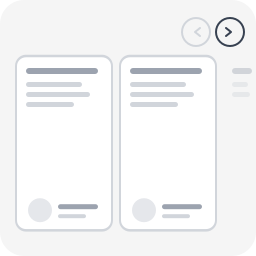
Accessible carousel for Group, Query Loop & Gallery blocks. WCAG 2.2 AA, CSS scroll-snap, keyboard navigation, zero dependency.
Lightweight CMP for WordPress: cookie banner, Consent Mode v2, GTM, Polylang/WPML-ready.

By JPA Software
Check and fix accessibility against RGAA 4.1 and WCAG 2.1, criterion by criterion, and publish your accessibility statement. No overlay.

By Jb Audras
Add an inline quote format button to the formatting toolbar in the block editor.

By Skynet Technologies India
AI based Website Accessibility Solution Supporting WCAG 2.0, 2.1 & 2.2, Section 508, California Unruh Act and Other accessibility standards.

By toutestfaisable
Your articles read aloud the moment you publish. Natural voices, accessible player, nothing to do. Free for your first articles.

By Benjamin Thiers
Hide links from search engine crawlers while keeping them accessible to human visitors, with full RGAA/WCAG accessibility compliance.

By Alexandre R.
Stack table blocks into readable cards on small screens instead of scrolling sideways. Server rendered, no JavaScript, helps with WCAG 1.4.10.
CHOOSE WHAT YOUR WEBSITE NEEDS
Start with the task you need to solve. Compare features, WordPress and PHP requirements, update history and the author’s documentation. Test changes on a private copy and avoid adding several plugins for the same job.
This independent directory displays plugin information on WebFulHost and links to the official source. Packages are not mirrored or installed here. A plugin can include paid extensions or services with separate terms from its author.