

Show Support Ribbon
By Jeff Starr
Displays a customizable "show support" ribbon, banner, or badge on your site.
★ 5.0/5 (11)300+ active installations
- Version
- 20261104
- WordPress
- 4.7+
- PHP
- 5.6.20+
- Updated
- 4 Nov 2026
WORDPRESS RESOURCES
Explore public plugin information from the official WordPress.org directory. Compare what a plugin does, its requirements and update history before adding it to your website.
Explore WordPress hosting →232 matching plugins reported by WordPress.org · Page 1 of 20
Source: WordPress.org
Data refreshed 18 Nov 2026 15:58 UTC
By Jeff Starr
Displays a customizable "show support" ribbon, banner, or badge on your site.

By Erez Hadas-Sonnenschein
Promote special offers with corner ribbon
Create responsive photo, image and masonry galleries in WordPress with FooGallery, plus carousel, lightbox, albums, SEO and video gallery support.

By PickPlugins
Fully responsive and mobile ready Carousel Slider for your woo-commerce product. unlimited slider anywhere via short-codes and easy admin setting.

By ThemeHunk
Adds customizer settings and controls to the Gogo Theme.
Build responsive, sortable and searchable tables with drag & drop. Import CSV, Excel or JSON. Create data, pricing, comparison and product tables.

By Brainstorm Force
Extend Beaver Builder with powerful modules, ready-made templates and sections. Design stunning WordPress websites — no coding required.

Create smooth Elementor marquee sliders, logo marquees, news tickers, image box & icon box, post scrollers, testimonials & WooCommerce marquees.

By Imtiaz Rayhan
Table Block For the Block Editor. Craft Beautiful Tables With Ease.
GT3 Image Gallery - create photo gallery, video gallery, block gallery, slider and more with ease. All photo galleries are responsive and loading fast
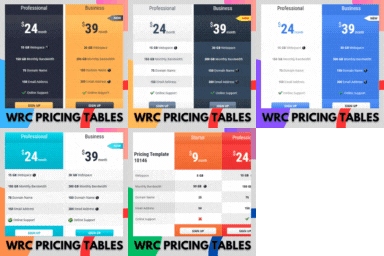
By Realwebcare
Responsive CSS3 pricing tables design to present features and prices of different products. Display pricing tables or comparison table by shortcode.

By A WP Life
Add animated falling effects like snow, rain, autumn leaves, and seasonal decorations to your website.
CHOOSE WHAT YOUR WEBSITE NEEDS
Start with the task you need to solve. Compare features, WordPress and PHP requirements, update history and the author’s documentation. Test changes on a private copy and avoid adding several plugins for the same job.
This independent directory displays plugin information on WebFulHost and links to the official source. Packages are not mirrored or installed here. A plugin can include paid extensions or services with separate terms from its author.


