A WordPress plugin which shows the current template file name, the current theme name and included template files' name in the tool bar.
★ 5.0/5 (71)100,000+ active installations
- Version
- 0.5.4
- WordPress
- 5.9+
- PHP
- 7.4+
- Updated
- 20 Aug 2026
View plugin details ↗This plugin will show the IDs of posts and pages on the admin bar and on the admin panel.
★ 5.0/5 (103)10,000+ active installations
- Version
- 1.5.6
- WordPress
- 5.0+
- PHP
- 5.2.4+
- Updated
- 13 Aug 2026
View plugin details ↗Show Posts in a Page via shortcode for any theme
★ 5.0/5 (7)5,000+ active installations
- Version
- 2.0.5
- WordPress
- 6.6+
- PHP
- 7.2+
- Updated
- 20 Apr 2026
View plugin details ↗Show post metadata (aka custom fields) in a metabox when editing posts / pages - a great tool for debugging issues with post metadata.
★ 5.0/5 (12)9,000+ active installations
- Version
- 4.9.1
- WordPress
- 6.0+
- PHP
- 7.4.33+
- Updated
- 29 Oct 2026
View plugin details ↗Show IDs on admin pages for posts, pages, categories, taxonomies, custom post types and more.
★ 5.0/5 (1)2,000+ active installations
- Version
- 1.3.4
- WordPress
- 4.0+
- PHP
- 7.4+
- Updated
- 30 Aug 2026
View plugin details ↗Show user metadata in a metabox when editing users - a great tool for debugging issues with user metadata.
★ 5.0/5 (2)3,000+ active installations
- Version
- 4.9.1
- WordPress
- 6.0+
- PHP
- 7.4.33+
- Updated
- 29 Oct 2026
View plugin details ↗Show modified date column in the lists of pages and posts in the WordPress admin panel.
★ 4.9/5 (32)6,000+ active installations
- Version
- 1.6
- WordPress
- 3.0.1+
- Updated
- 15 Sep 2026
View plugin details ↗Let visitors check the IP address your website sees, with optional hostname, browser, and referrer details. Add a shortcode to a page, post, or widget …
★ 5.0/5 (5)900+ active installations
- Version
- 2.0.0
- WordPress
- 5.8+
- PHP
- 7.4+
- Updated
- 3 Nov 2026
View plugin details ↗Show Sliders partner to Show Posts plugin. Requires Show Post Plugin to work.
★ 4.5/5 (6)900+ active installations
- Version
- 2.0.4
- WordPress
- 5.4+
- Updated
- 20 Apr 2026
View plugin details ↗Simply Show Hooks helps theme and plugin developers to quickly see where all the action and filter hooks are on any WordPress page.
★ 5.0/5 (63)1,000+ active installations
- Version
- 1.3.3
- WordPress
- 5.0+
- PHP
- 7.0+
- Updated
- 17 Nov 2026
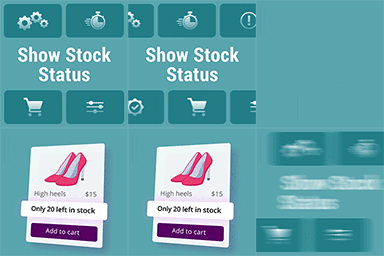
View plugin details ↗The goal of this plugin is to show the “stock quantity” under each product in the shop, category and archive pages (wherever there is a loop).
★ 4.8/5 (29)1,000+ active installations
- Version
- 1.0.6
- WordPress
- 4.9+
- PHP
- 7.2.0+
- Updated
- 9 Sep 2026
View plugin details ↗Simple plugin that allow you view all the pages urls on your wordpress site
★ 4.4/5 (8)1,000+ active installations
- Version
- 2.4.2
- WordPress
- 5.0+
- PHP
- 5.2.4+
- Updated
- 13 Aug 2026
View plugin details ↗