

Code Block Pro – Beautiful Syntax Highlighting
By Kevin Batdorf
Code highlighting powered by the VS Code engine. Performance focused. No bloat.
★ 4.8/5 (50)10,000+ active installations
- Version
- 1.28.0
- WordPress
- 6.0+
- PHP
- 7.0+
- Updated
- 15 Aug 2026
WORDPRESS RESOURCES
Explore public plugin information from the official WordPress.org directory. Compare what a plugin does, its requirements and update history before adding it to your website.
Explore WordPress hosting →9 matching plugins reported by WordPress.org · Page 1 of 1
Source: WordPress.org
Data refreshed 18 Nov 2026 19:33 UTC
By Kevin Batdorf
Code highlighting powered by the VS Code engine. Performance focused. No bloat.

By Dmytro Shteflyuk
Syntax highlighting for code snippets in posts, comments, and RSS, with inline code, themes, and line numbers.

By Henry Sautter (Hank)
Dynamic block to create an ImageSnippets gallery

By Marco Belemmi
Manage chess tournaments from WordPress: players, Swiss pairings, results, standings, and exports. Free plan: up to 10 players per tournament.

By themesic
Add HS, CN and TARIC codes to every WooCommerce product, checked against the official EU nomenclature. For Intrastat, myDATA, KSeF and customs.

By Vijay Samtani
Map your WordPress content into an interactive knowledge graph. See relationships between posts, terms, and authors. No API keys required.
By conlabltd
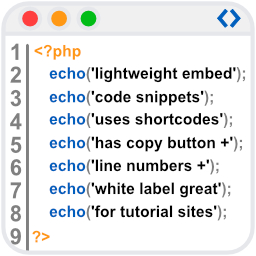
WpBetterCodeHighlighting allows you to show code snippets in over 290+ languages. Its completly free and perfect for blog/tutorial sites.

By kurt-moser
PoolParty plugin makes websites more understandable. Blogs benefit from linking posts with key terms automatically. The plugin uses SKOS vocabularies

By shawfactor
LH Tools is a wordpress plugin that enables a sparql endpoint for for WordPress sites. This will enable semantic querying of WordPress data.
CHOOSE WHAT YOUR WEBSITE NEEDS
Start with the task you need to solve. Compare features, WordPress and PHP requirements, update history and the author’s documentation. Test changes on a private copy and avoid adding several plugins for the same job.
This independent directory displays plugin information on WebFulHost and links to the official source. Packages are not mirrored or installed here. A plugin can include paid extensions or services with separate terms from its author.