

Split Test For Elementor
By rocketelements
Adds split testing functionality to elementor
★ 4.4/5 (24)3,000+ active installations
- Version
- 1.9.3
- WordPress
- 4.9+
- PHP
- 7.4+
- Updated
- 10 Aug 2026
WORDPRESS RESOURCES
Explore public plugin information from the official WordPress.org directory. Compare what a plugin does, its requirements and update history before adding it to your website.
Explore WordPress hosting →1,657 matching plugins reported by WordPress.org · Page 1 of 50
Source: WordPress.org
Data refreshed 18 Nov 2026 05:03 UTC
By rocketelements
Adds split testing functionality to elementor

By WebToffee
The best order export import plugin for WooCommerce. Easily import and export WooCommerce orders and WooCommerce coupons using CSV.
Free WooCommerce dashboard & sales report: recover abandoned carts, order export, Google Sheets sync, ROAS, bulk edit & inventory management

By YoOhw Studio
Split WooCommerce orders by quantity, category, or stock status. Duplicate, merge, return split orders, and manage fulfillment with HPOS support.

By Fahad Mahmood
A great plugin to split WooCommerce orders. You can duplicate orders as well.

Split payments between multiple Stripe Connected Accounts using Stripe Connect. Works with WooCommerce and FluentCart.

By Fahad Mahmood
A user friendly plugin to split WooCommerce orders.

By akshayaswaroop
Backorder split for WooCommerce. Out of stock items move to their own order, so you ship the rest today. Partial shipment, shipping paid once.
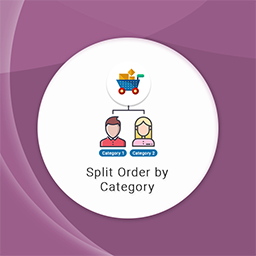
By SunCart
"Split order by Category for Woocommerce" allows splitting an order into separate orders based on category.
The #1 WooCommerce shipment tracking plugin. Add tracking numbers, auto-update order status & send branded shipping notifications. 1010+ carriers.

By Florence ANDROLUS
Split Email Providers is a WooCommerce addon that automatically sends emails to suppliers for each order, simplifying communication.
Show a waitlist form on out-of-stock products and automatically email subscribers when items are restocked. Turn lost sales into customers.
CHOOSE WHAT YOUR WEBSITE NEEDS
Start with the task you need to solve. Compare features, WordPress and PHP requirements, update history and the author’s documentation. Test changes on a private copy and avoid adding several plugins for the same job.
This independent directory displays plugin information on WebFulHost and links to the official source. Packages are not mirrored or installed here. A plugin can include paid extensions or services with separate terms from its author.


