Translate WordPress with Google Translate multilanguage plugin using AI translation. Complete multilingual SEO solution, WooCommerce compatible.
★ 4.9/5 (4,963)900,000+ active installations
- Version
- 5.0.2
- WordPress
- 6.0.1+
- Updated
- 23 Oct 2026
View plugin details ↗Allows you to automatically add hierarchic categories in WordPress Navigation Menus.
★ 4.6/5 (13)2,000+ active installations
- Version
- 2.1.0
- WordPress
- 5.0.2+
- PHP
- 5.6+
- Updated
- 18 Aug 2026
View plugin details ↗Remove Category URL strips the /category/ base from your category URLs, turning something like /category/my-category/ into simply /my-category/.
★ 4.3/5 (61)40,000+ active installations
- Version
- 1.2.6
- WordPress
- 3.1+
- Updated
- 18 Nov 2026
View plugin details ↗Drag-and-drop ordering for Categories & any taxonomy (hierarchically) using a Drag and Drop Sortable JavaScript capability.
★ 4.5/5 (162)500,000+ active installations
- Version
- 2.1
- WordPress
- 2.8+
- Updated
- 30 Oct 2026
View plugin details ↗Go multilingual in a simple and efficient way. Keep writing posts and taxonomy terms as usual while defining their languages all at once.
★ 4.7/5 (3,010)900,000+ active installations
- Version
- 3.9.2
- WordPress
- 6.8+
- PHP
- 7.4+
- Updated
- 9 Nov 2026
View plugin details ↗A simple Gutenberg block and JS widget (can be called from posts) for displaying categories in a list with some effects.
★ 4.8/5 (15)1,000+ active installations
- Version
- 4.1.1
- WordPress
- 6.1+
- PHP
- 7.0+
- Updated
- 3 Apr 2026
View plugin details ↗This plugin removes the mandatory 'Category Base' from your category permalinks. It's compatible with WPML.
★ 4.5/5 (34)100,000+ active installations
- Version
- 1.5.8
- WordPress
- 5.0+
- Updated
- 30 Oct 2026
View plugin details ↗Adds a widget which uses Javascript to dynamically expand or collapse the set of posts for each category.
★ 4.1/5 (57)4,000+ active installations
- Version
- 3.0.12
- WordPress
- 5.0+
- Updated
- 12 Feb 2026
View plugin details ↗An easy to use mega menu plugin. Written the WordPress way.
★ 4.8/5 (883)300,000+ active installations
- Version
- 3.10.10
- WordPress
- 6.2+
- PHP
- 7.4+
- Updated
- 10 Nov 2026
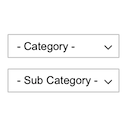
View plugin details ↗Displays product categories as dependent drop-down selects.
★ 4.7/5 (12)800+ active installations
- Version
- 1.0.0
- WordPress
- 4.7+
- Updated
- 16 Nov 2026
View plugin details ↗Tags, Categories and WordPress terms are easy with PublishPress Taxonomies. Add a Tag or Category to Pages, manage your WooCommerce Categories and Tag …
★ 4.6/5 (195)40,000+ active installations
- Version
- 4.0.2
- WordPress
- 6.7+
- PHP
- 8.2+
- Updated
- 17 Nov 2026
View plugin details ↗Display WooCommerce product categories in responsive sliders and grids to boost navigation, engagement, and product discovery.
★ 4.1/5 (9)700+ active installations
- Version
- 1.7.2
- WordPress
- 5.0+
- Updated
- 13 Aug 2026
View plugin details ↗