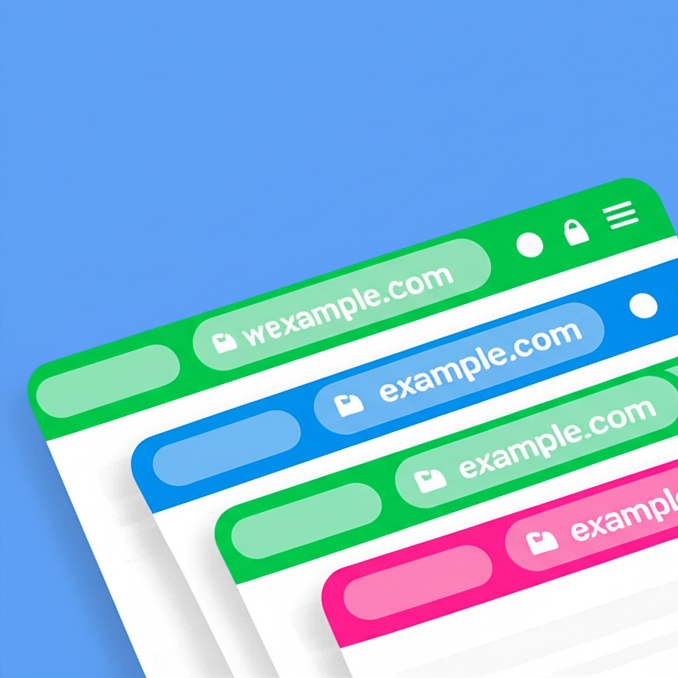
Prevents browser cache problems: visitors always get the current version of your CSS, JS, images and pages, while caching keeps working.
★ 4.9/5 (29)10,000+ active installations
- Version
- 3.2.2
- WordPress
- 4.7+
- PHP
- 7.2+
- Updated
- 14 Oct 2026
View plugin details ↗Accept Credit Cards, Google Pay, ApplePay, Afterpay, Affirm, ACH, Klarna, iDEAL and more all in one plugin for free!
★ 4.8/5 (303)100,000+ active installations
- Version
- 4.0.21
- WordPress
- 4.7+
- PHP
- 7.4+
- Updated
- 19 Nov 2026
View plugin details ↗Multi-language supported Team Members - Team with Slide is the best plugins to display unlimited team in Carouse and Grid view.
★ 5.0/5 (85)6,000+ active installations
- Version
- 9.6
- WordPress
- 6.0+
- PHP
- 7.0+
- Updated
- 17 Nov 2026
View plugin details ↗Color the mobile browser address bar with your brand color, with a separate color for dark mode.
★ 5.0/5 (1)2,000+ active installations
- Version
- 2.0.1
- WordPress
- 5.0+
- PHP
- 7.0+
- Updated
- 5 Oct 2026
View plugin details ↗Everything you need to launch an online store in days and keep it growing for years. From your first sale to millions in revenue, Woo is with you.
★ 4.5/5 (4,833)7,000,000+ active installations
- Version
- 11.3.1
- WordPress
- 7.0+
- PHP
- 7.4+
- Updated
- 19 Nov 2026
View plugin details ↗Site Kit is a one-stop solution for WordPress users to use everything Google has to offer to make them successful on the web.
★ 4.2/5 (1,016)5,000,000+ active installations
- Version
- 1.192.0
- WordPress
- 5.2+
- PHP
- 7.4+
- Updated
- 16 Nov 2026
View plugin details ↗Comprehensive image optimization with WebP, AVIF, Lazy Load, and more. Optimize images automatically for Faster Sites and Happy Visitors.
★ 4.8/5 (1,846)1,000,000+ active installations
- Version
- 8.9.2
- WordPress
- 6.8+
- PHP
- 7.4+
- Updated
- 10 Nov 2026
View plugin details ↗
By WPMU DEV - Your All-in-One WordPress Platform
Compress and optimize images, enable lazy load, serve WebP & AVIF, and speed up your site with a global image CDN.
★ 4.8/5 (6,053)1,000,000+ active installations
- Version
- 4.3.7
- WordPress
- 6.4+
- PHP
- 7.4+
- Updated
- 16 Nov 2026
View plugin details ↗Translate WordPress with Google Translate multilanguage plugin using AI translation. Complete multilingual SEO solution, WooCommerce compatible.
★ 4.9/5 (4,963)900,000+ active installations
- Version
- 5.0.2
- WordPress
- 6.0.1+
- Updated
- 23 Oct 2026
View plugin details ↗Customize your mobile browsing experience by setting theme colors for the address bar of your pages on your WordPress site
★ 4.5/5 (2)300+ active installations
- Version
- 4.2
- WordPress
- 4.6+
- Updated
- 19 Apr 2026
View plugin details ↗This plugin notifies website visitors to update their outdated browser in a non-intrusive way.
★ 4.6/5 (16)1,000+ active installations
- Version
- 6.0.1
- WordPress
- 6.0+
- PHP
- 7.4+
- Updated
- 13 Aug 2026
View plugin details ↗
By Bogdan Bendziukov · Pluginarium
Browser-based image compression & WebP—no API keys or quotas. Works on any hosting.
★ 5.0/5 (6)3,000+ active installations
- Version
- 1.8.3.2
- WordPress
- 6.0+
- PHP
- 7.4+
- Updated
- 19 Nov 2026
View plugin details ↗