

Telephone field for Elementor Forms
By add-ons.org
The plugin helps you in creating a country drop-down list with country flag.
★ 5.0/5 (6)4,000+ active installations
- Version
- 1.5.7
- WordPress
- 2.0+
- PHP
- 5.2+
- Updated
- 24 Sep 2026
WORDPRESS RESOURCES
Explore public plugin information from the official WordPress.org directory. Compare what a plugin does, its requirements and update history before adding it to your website.
Explore WordPress hosting →397 matching plugins reported by WordPress.org · Page 1 of 34
Source: WordPress.org
Data refreshed 17 Nov 2026 22:06 UTC
By add-ons.org
The plugin helps you in creating a country drop-down list with country flag.

By Sajjad Hossain Sagor
Turn Your Simple Telephone Input Into International Dial Codes Input
By add-ons.org
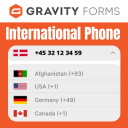
The plugin helps you in creating a country drop-down list with country flag.

By Cool Plugins
Add a country code dropdown with flags to Elementor form phone field for valid international numbers. Also works with Hello Plus form widget.

By hulkplugins
This plugin simplifies mobile number entry by guiding users to select their country code, ensuring accurate and properly formatted data submissions.

By WPExplorer
Adds a meta tag to your site head which prevents certain browsers from auto detecting phone numbers and adding links and styling to them.

By howdytheme
Add an international telephone input field with a country flag dropdown to any Contact Form 7 form. Includes dial code detection, phone validation, an …

Powerful user profile plugin to create front-end user registration forms, login & user profile forms. Includes user role editor & content restriction.

By FAKTOR VIER
Adds fields for e-mail and/or telephone to the WooCommerce shipping address.
WooCommerce checkout field editor and manager helps to manage checkout fields in WooCommerce

By Webshop Pay
This plugin adds the Pay. Payment Methods to your WooCommerce installation.
Add conditional fields to Elementor forms and apply if-else conditional logic to show or hide Elementor form widget fields via dynamic rules.
CHOOSE WHAT YOUR WEBSITE NEEDS
Start with the task you need to solve. Compare features, WordPress and PHP requirements, update history and the author’s documentation. Test changes on a private copy and avoid adding several plugins for the same job.
This independent directory displays plugin information on WebFulHost and links to the official source. Packages are not mirrored or installed here. A plugin can include paid extensions or services with separate terms from its author.

